UofTCTF 2024 - Writeups

Secret Message 2 - Forensics
The super secret organization changed their flag again. Can you work your magic again?
Hint: The flag characters contain abcdefghijklmnopqrstuvwxyz_
Solution
When we look at the given png file, we notice the redacted, pixelated text.
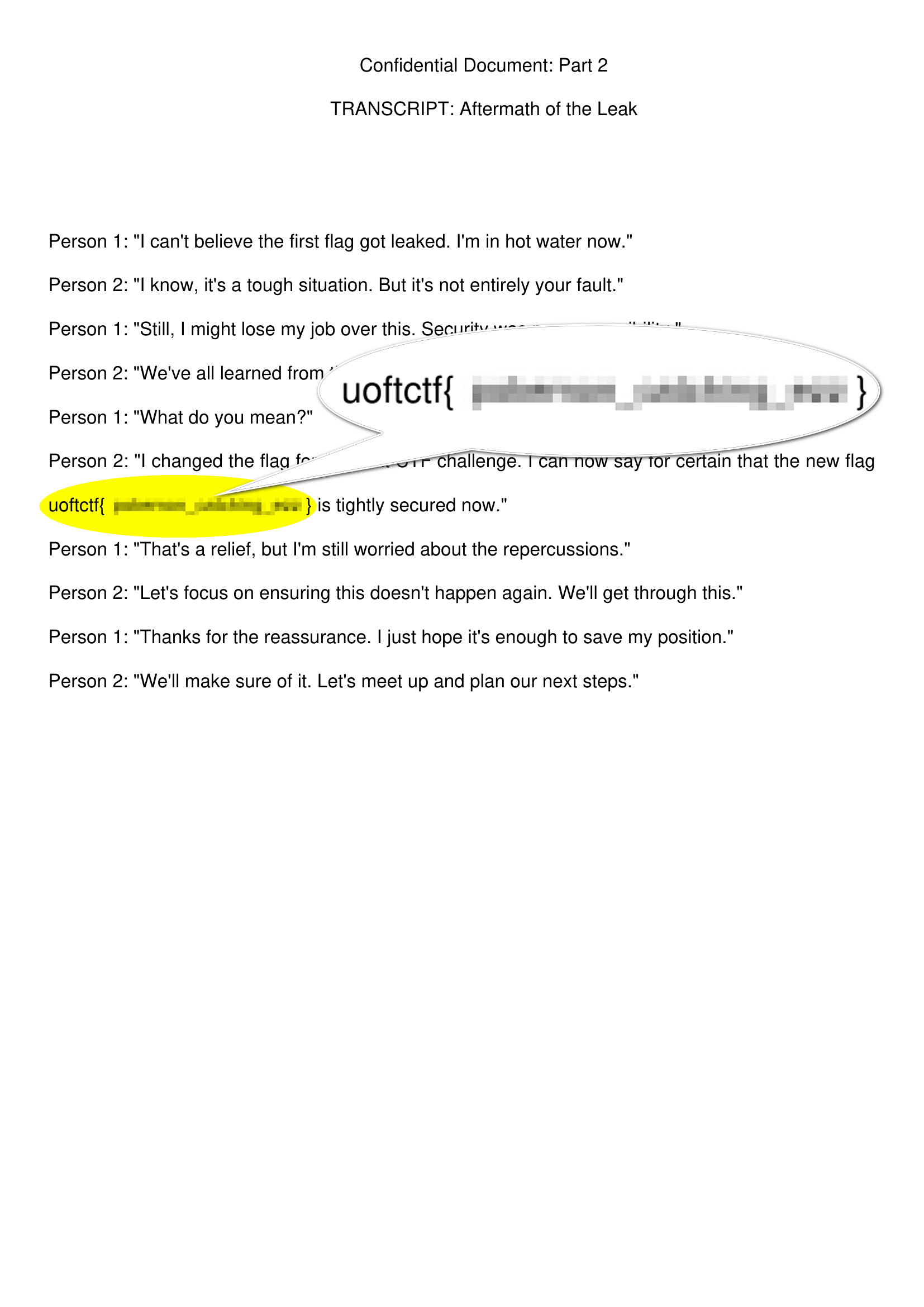
There is a tool called Unredacter that can uncover redacted, pixelated text to reveal the original text.
This blog provides extensive information about the tool: https://bishopfox.com/blog/unredacter-tool-never-pixelation.
I’ll follow the tool manual on how to use it.
Cropping the image
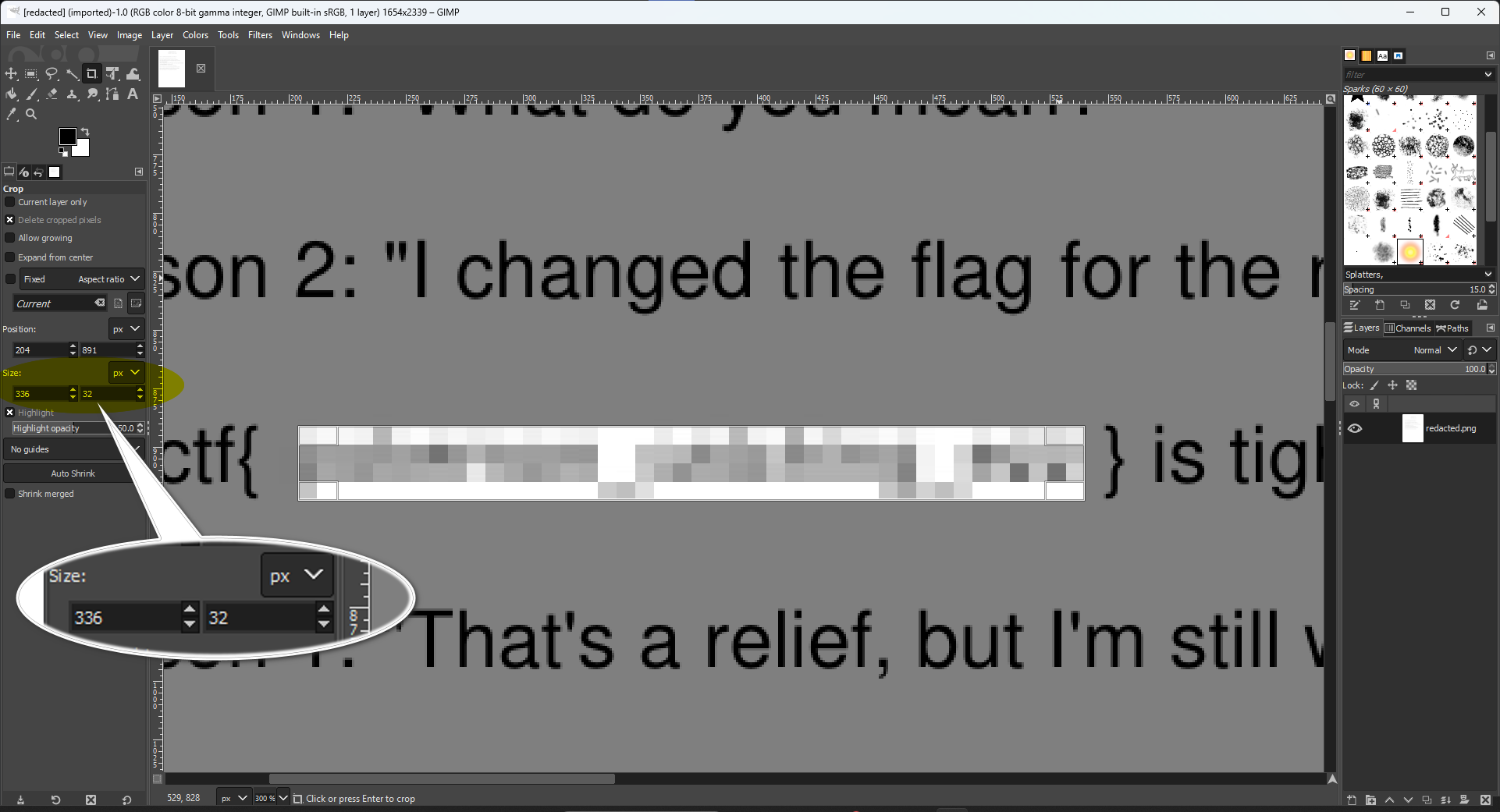
I’ll be using GIMP as recommended in the tool repo; we need to crop the image down to just the pixelated area.
Notice that each pixelated block size is `8x8 px’.
Editing the tool configurations
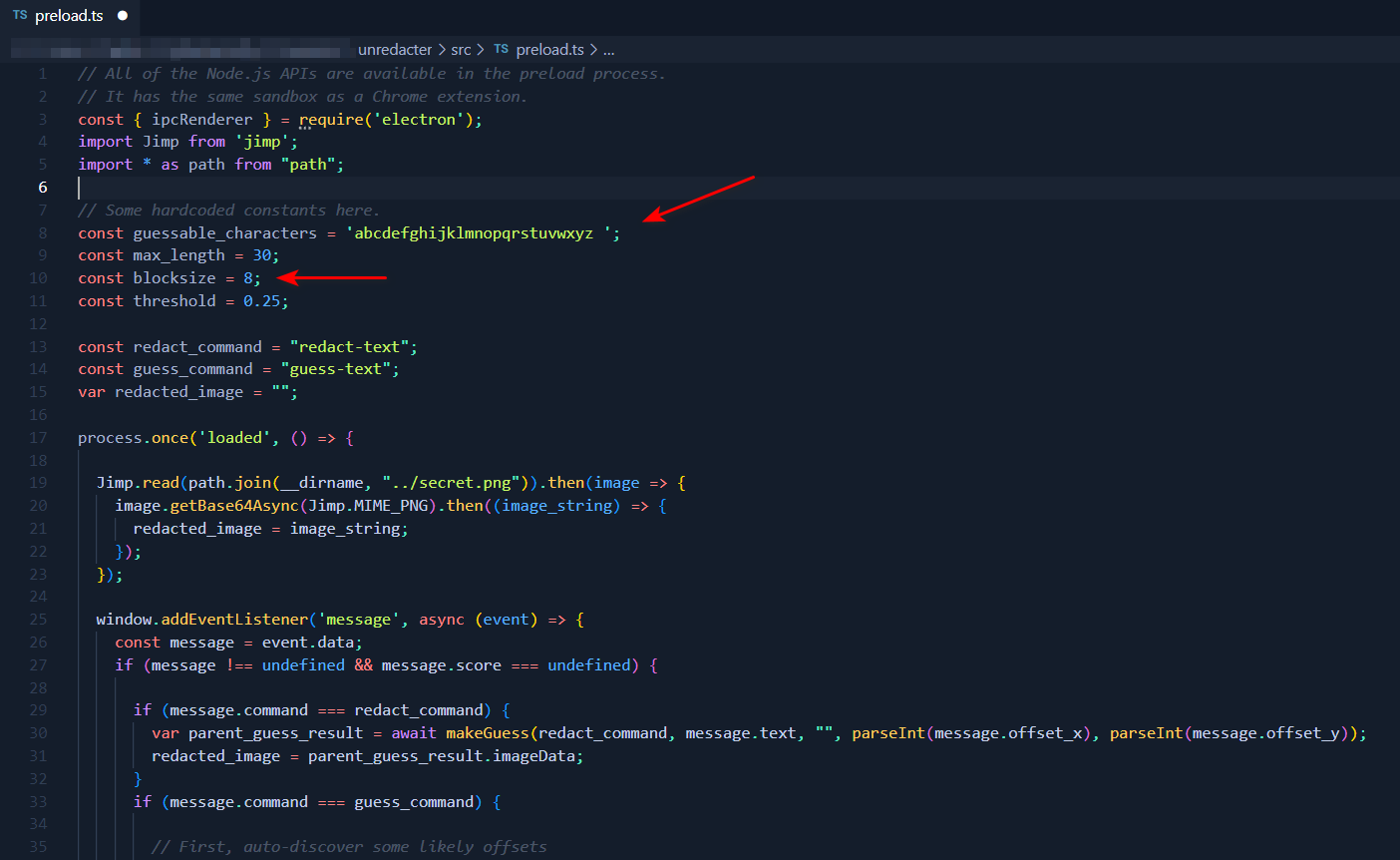
Let’s take a look at the character set the tool uses in the preload.ts file.
It’s abcdefghijklmnopqrstuvwxyz
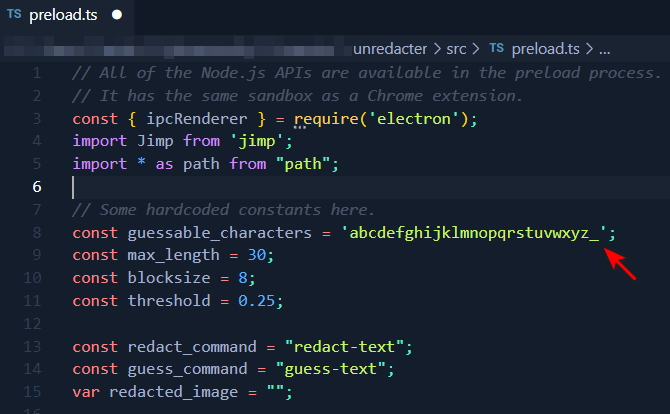
Going back to the challenge description, the hint states that there is an underscore in the flag characters, so let’s add it to guessable_characters to make it look like this:
Running the tool
We are now ready to start the tool. Run npm start and the tool GUI will pop up.
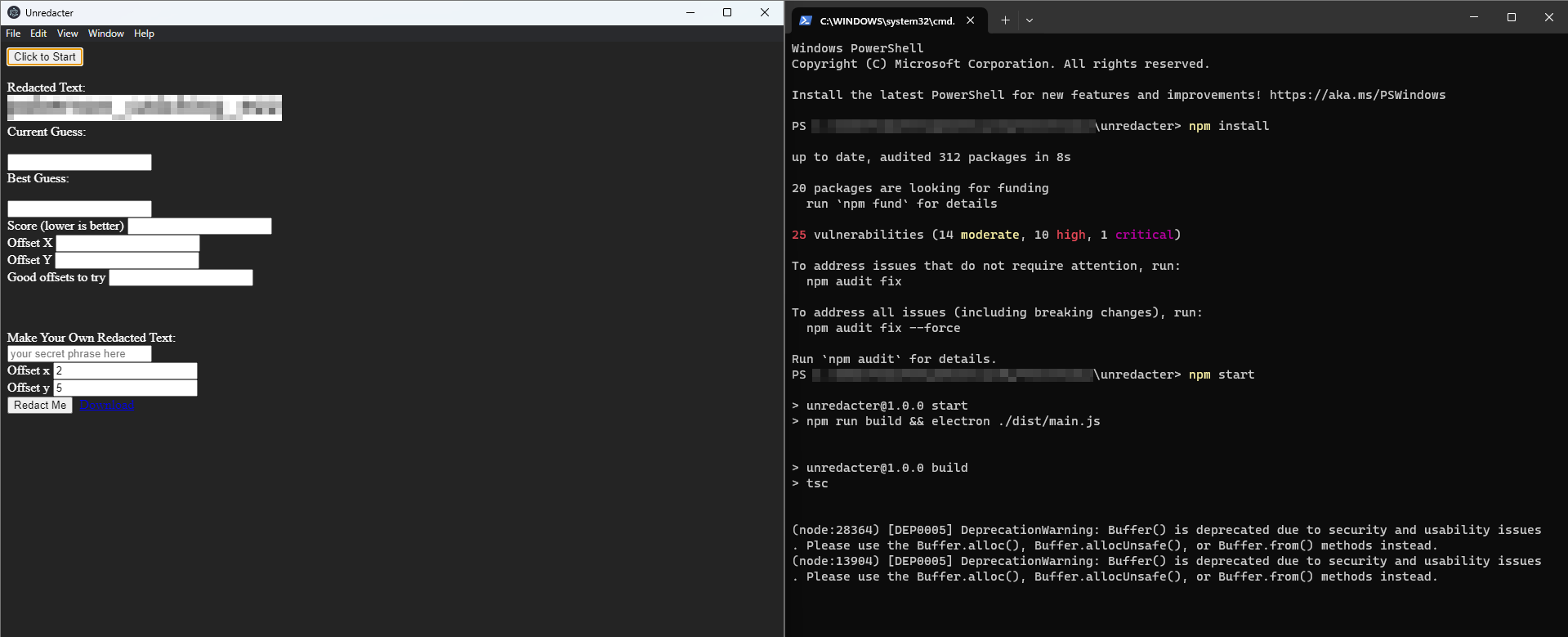
Hit the Click to start button.
The tool is stuck on the first character :(
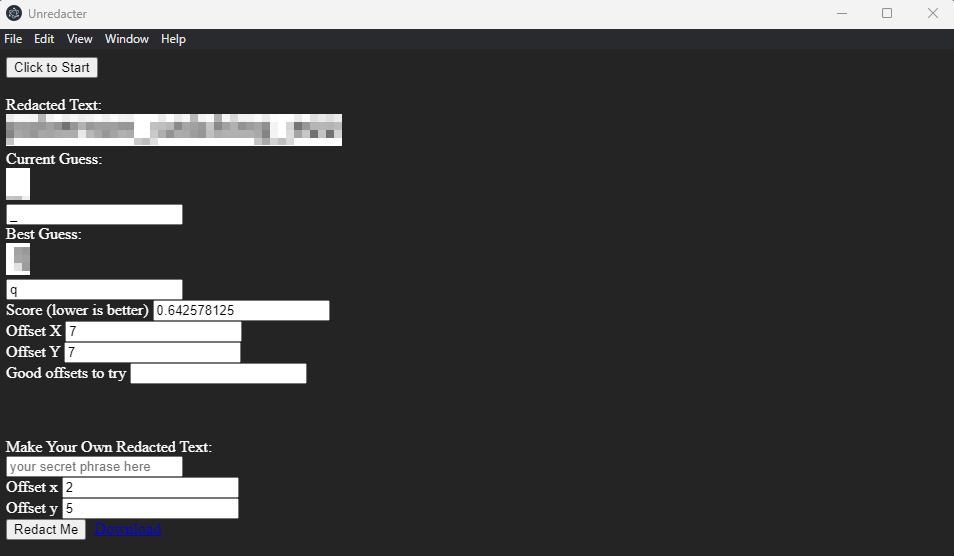
Troubleshooting
I spent some time on this. The problem is with our cropped image. I noticed a small difference in colors using a color selector in the block before and upward of the pixelated area. The whole page white color is #ffffff:
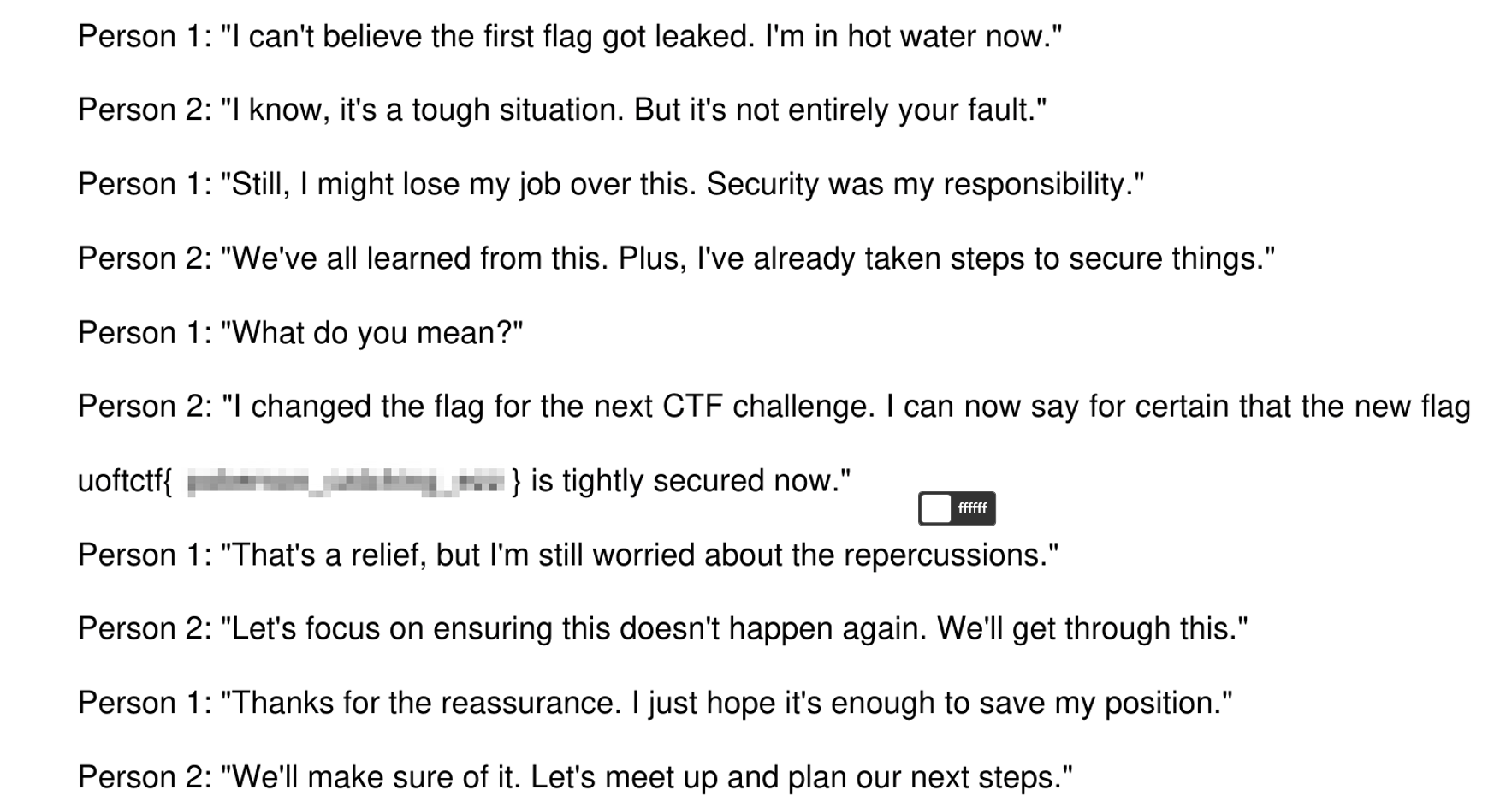
But the block before and upward of the pixelated area contains some other white shades like #fefefe and #fdfdfd, which means that it’s a part of the pixelated area.
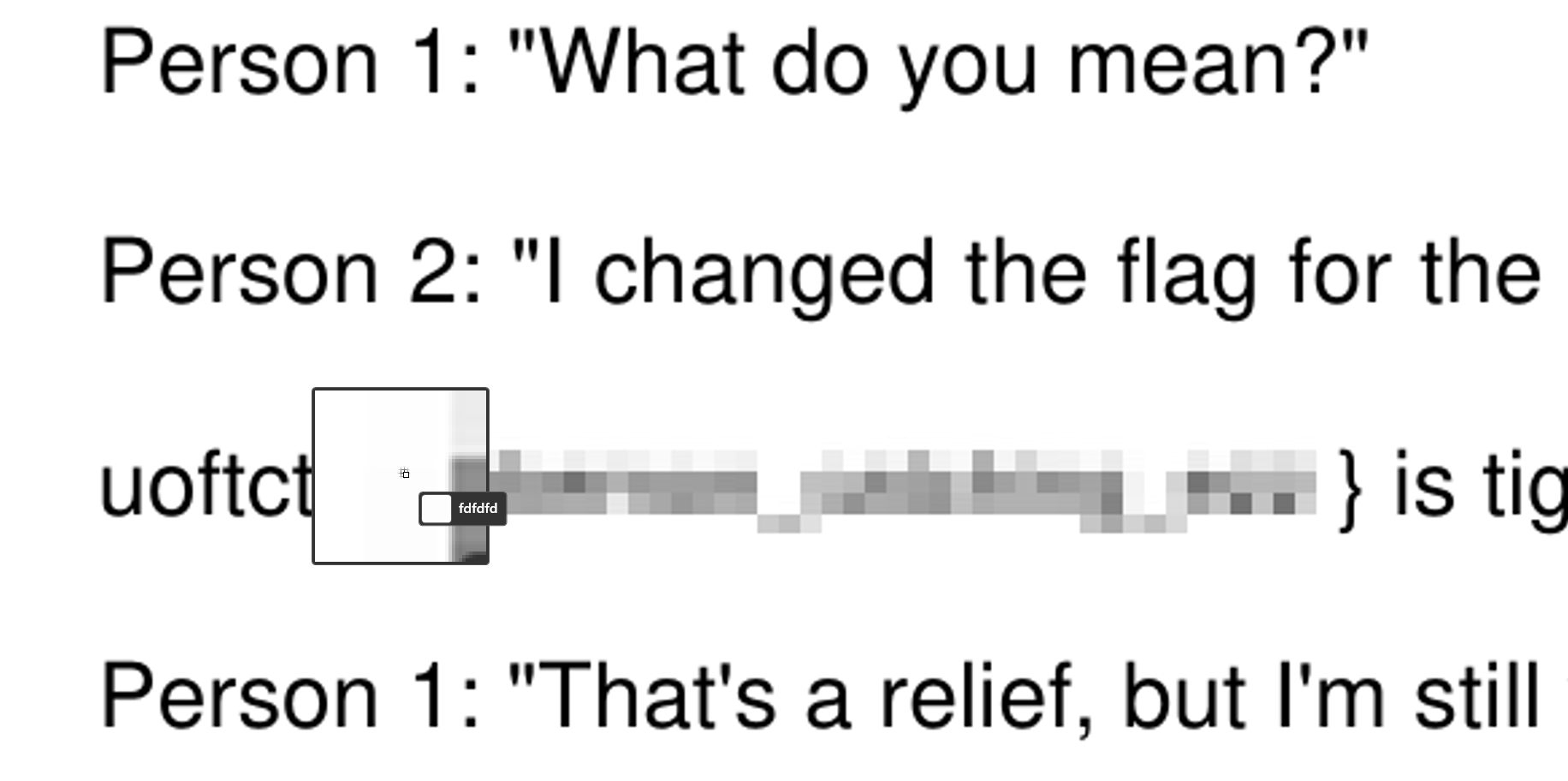
So I cropped the image again with one block before and upward of the previous pixelated area, so it looks like this:

Getting the Flag
Now let’s run the tool again:
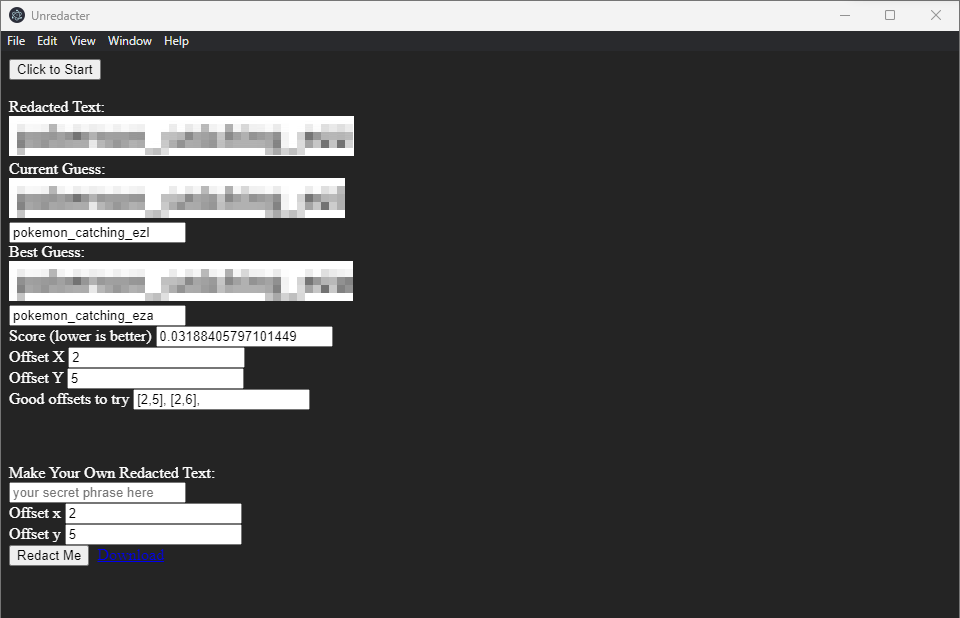
uoftctf{pokemon_catching_ezz}
Illusion - Forensics
Good Luck.
Solution
We are provided with a file called traffic.pcapng. After exploring the file for a while, we can notice an unusual thing in the http traffic, which is the GET HTTP requests. it contains a weird path and parameter called /images?guid= with a base64 encoded data. 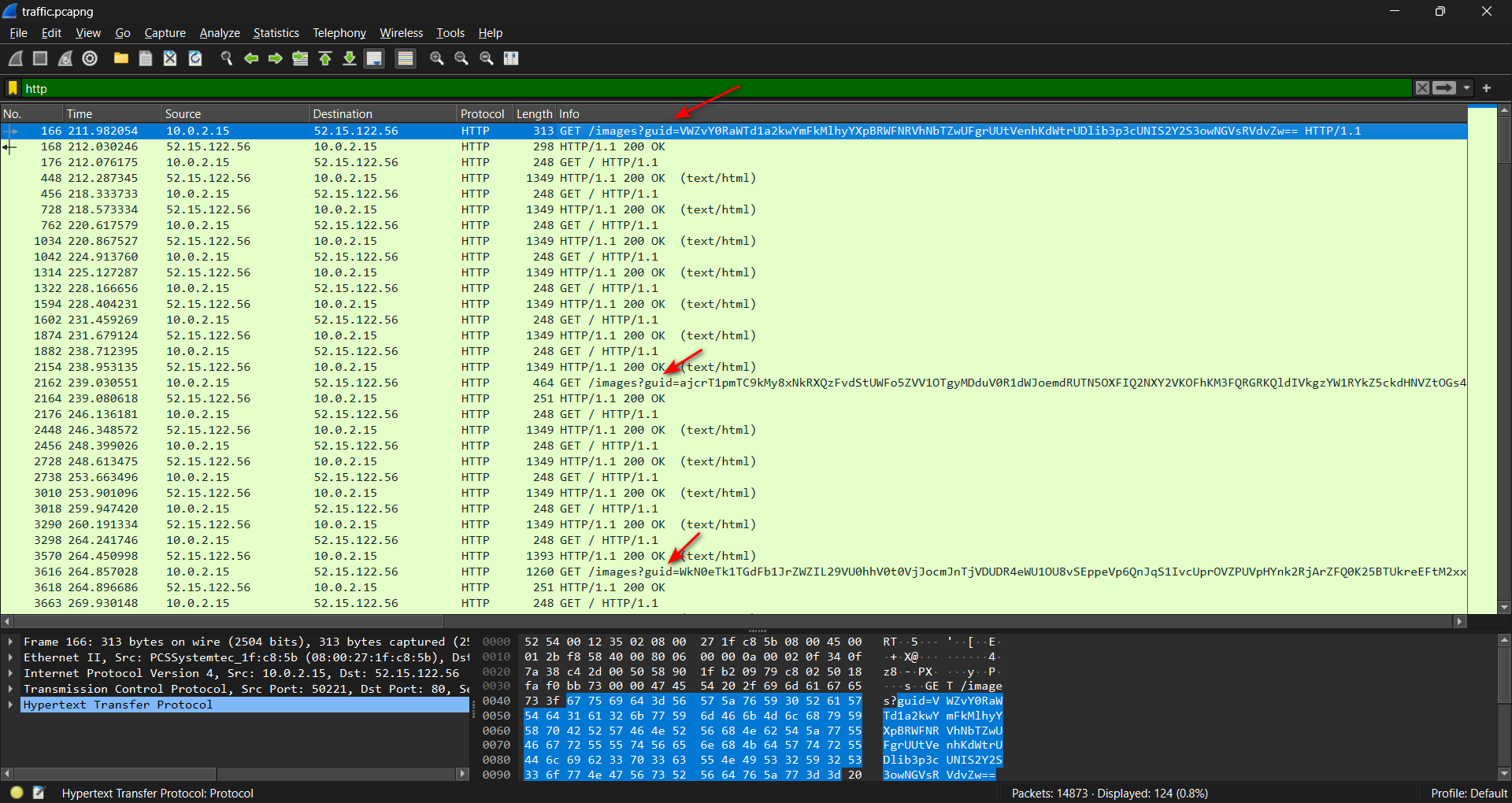
Decoding the base64 data will not give us anything readable. The data appears to be encrypted. 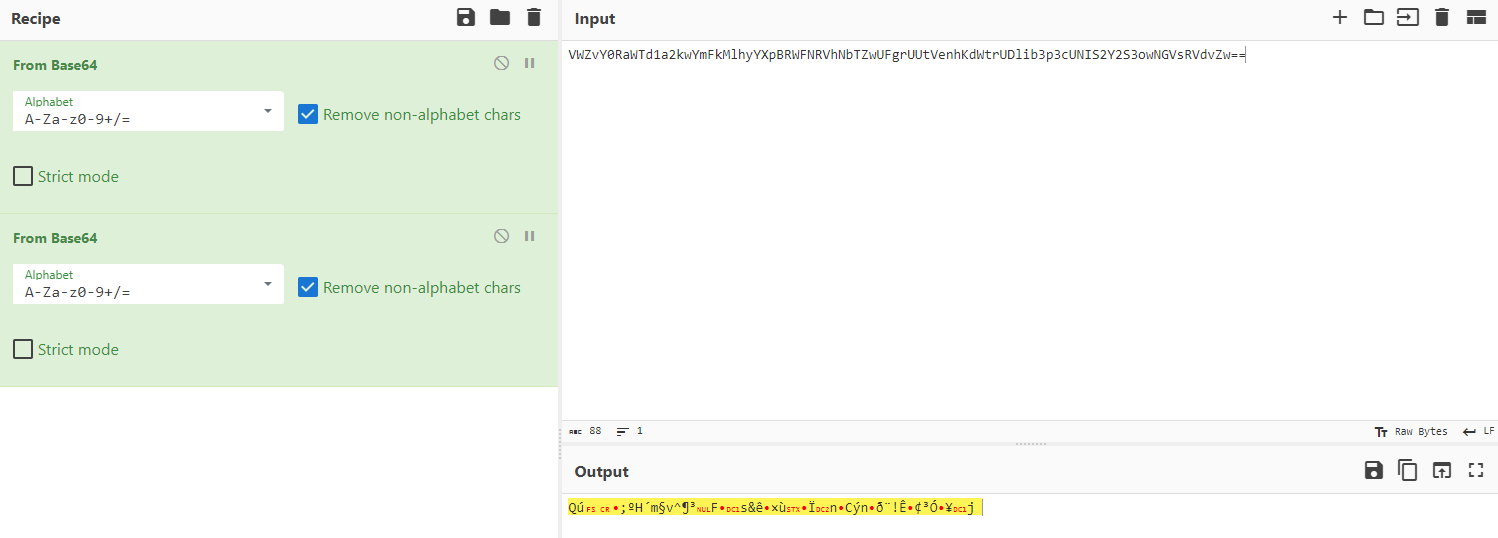 I exported the files from the http traffic.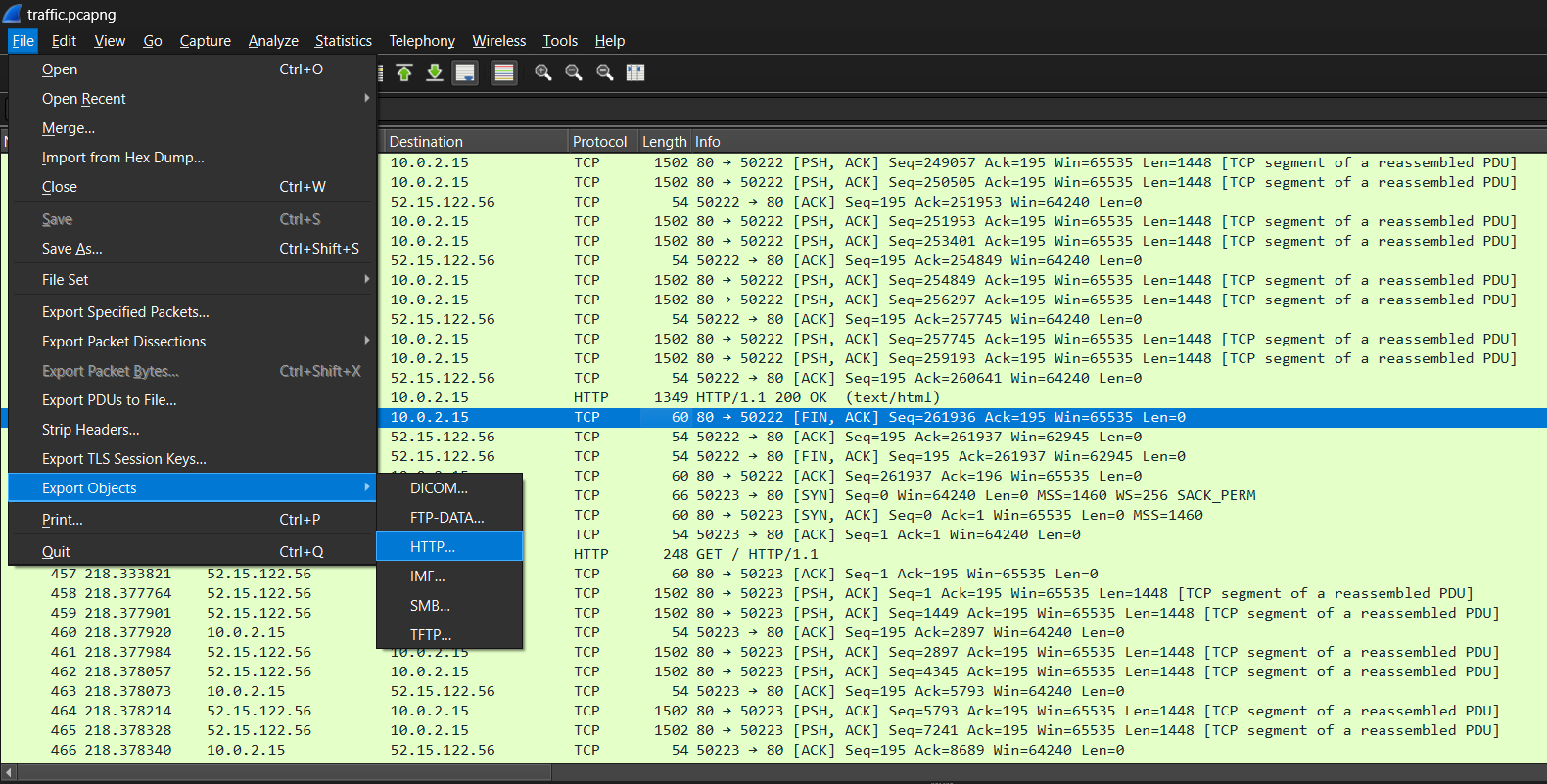
and then viewed one of the files and it looks like google webpage 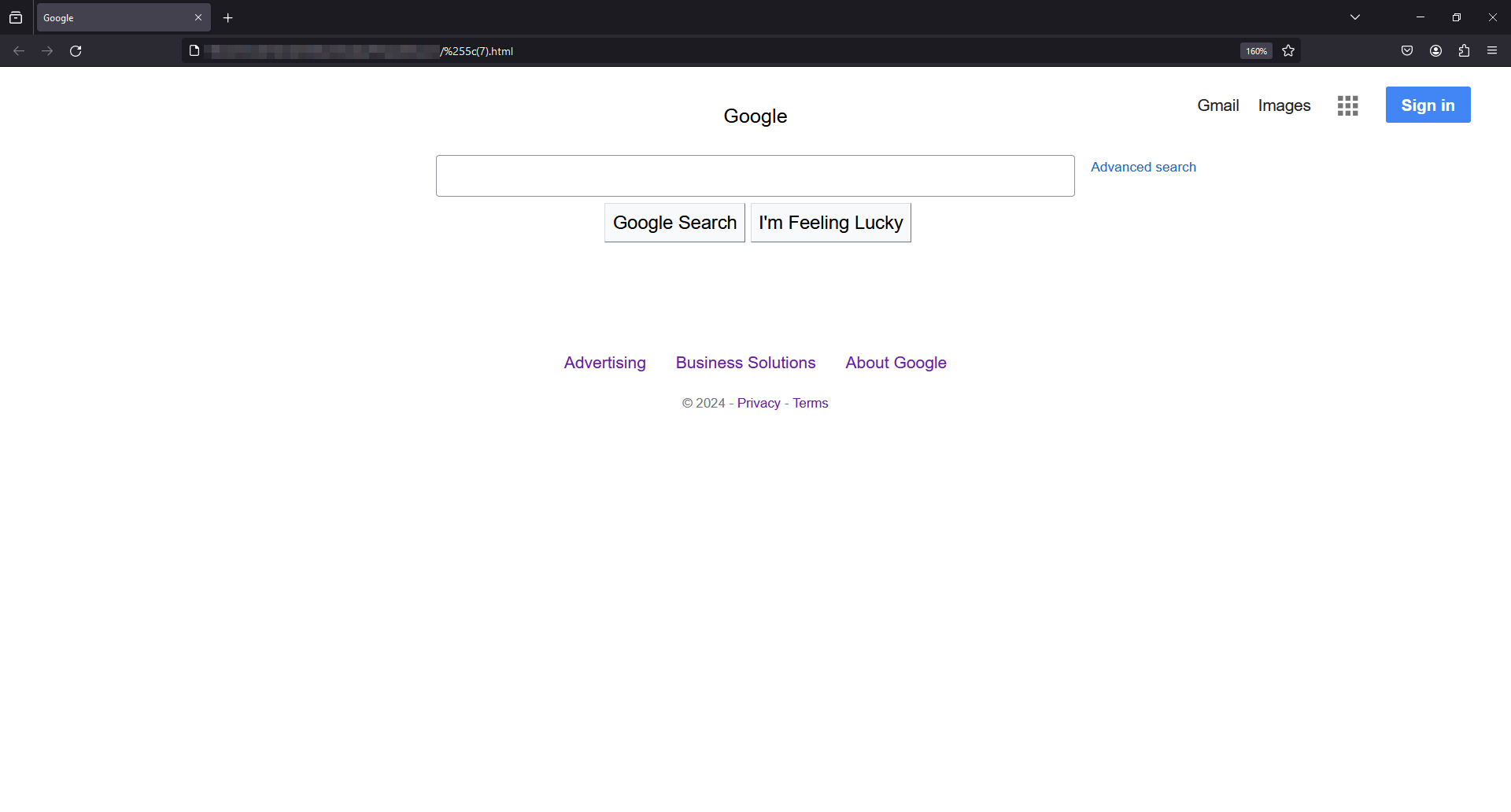
After some searching, I found out that it looks like TrevorC2 traffic. This is from the TrevorC2 repo:
TrevorC2 is a client/server model for masking command and control through a normally browsable website. Detection becomes much harder as time intervals are different and does not use POST requests for data exfil.
I read this article about TrevorC2 and it was very useful : https://nasbench.medium.com/understanding-detecting-c2-frameworks-trevorc2-2a9ce6f1f425
So now we know that the C2 conversation is hidden in two things:
- The server side hides its commands in
<!-- oldcss=> - The client side hides its data in
/images?guid=
Let’s extract the client side data. you can use tshark to extract the data:
tshark -r traffic.pcapng -Y "http.request" -T fields -e http.request.uri > clientdata.txt
Now we can decrypt the data, to decrypt the data we can check the TrevorC2 repo to see the decryption method.
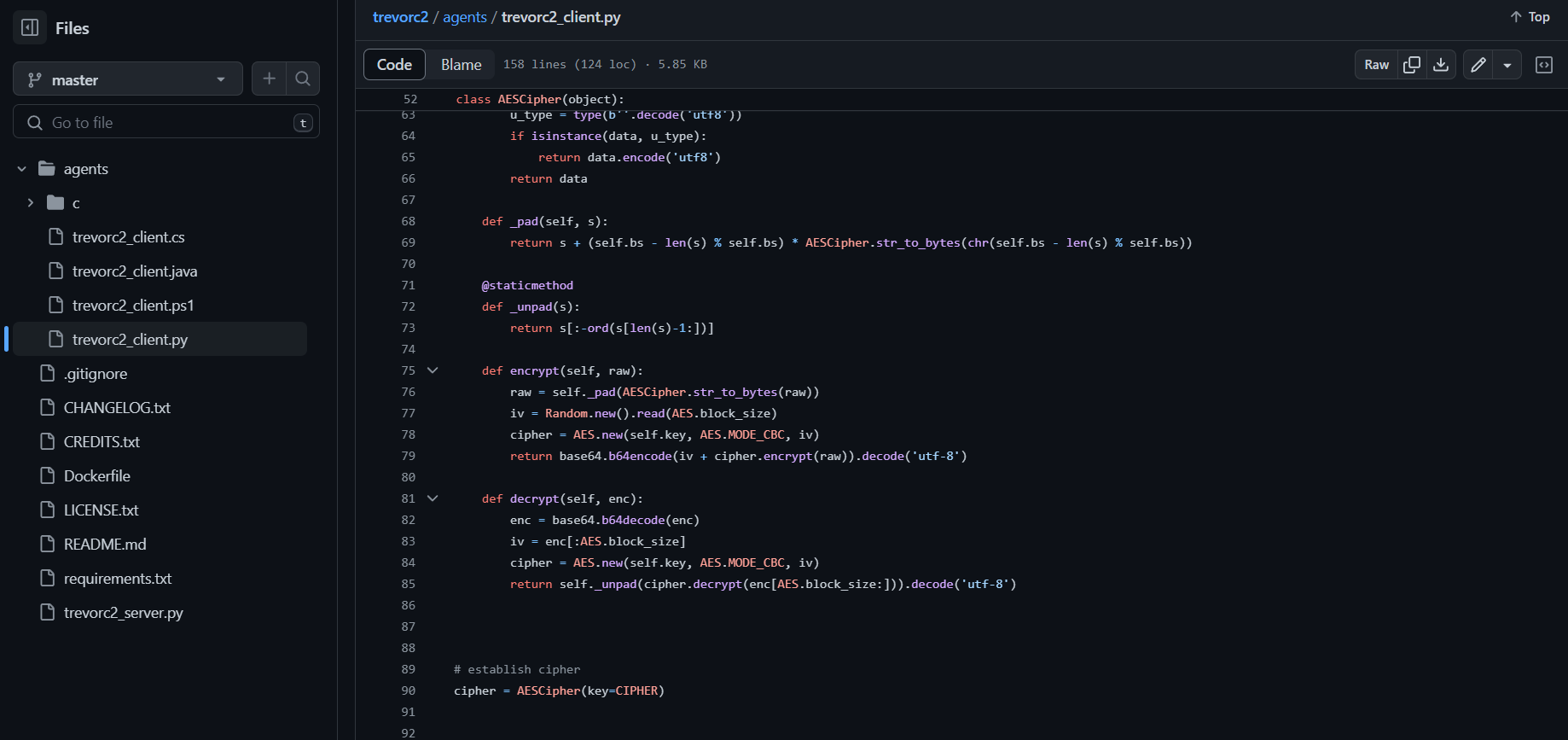
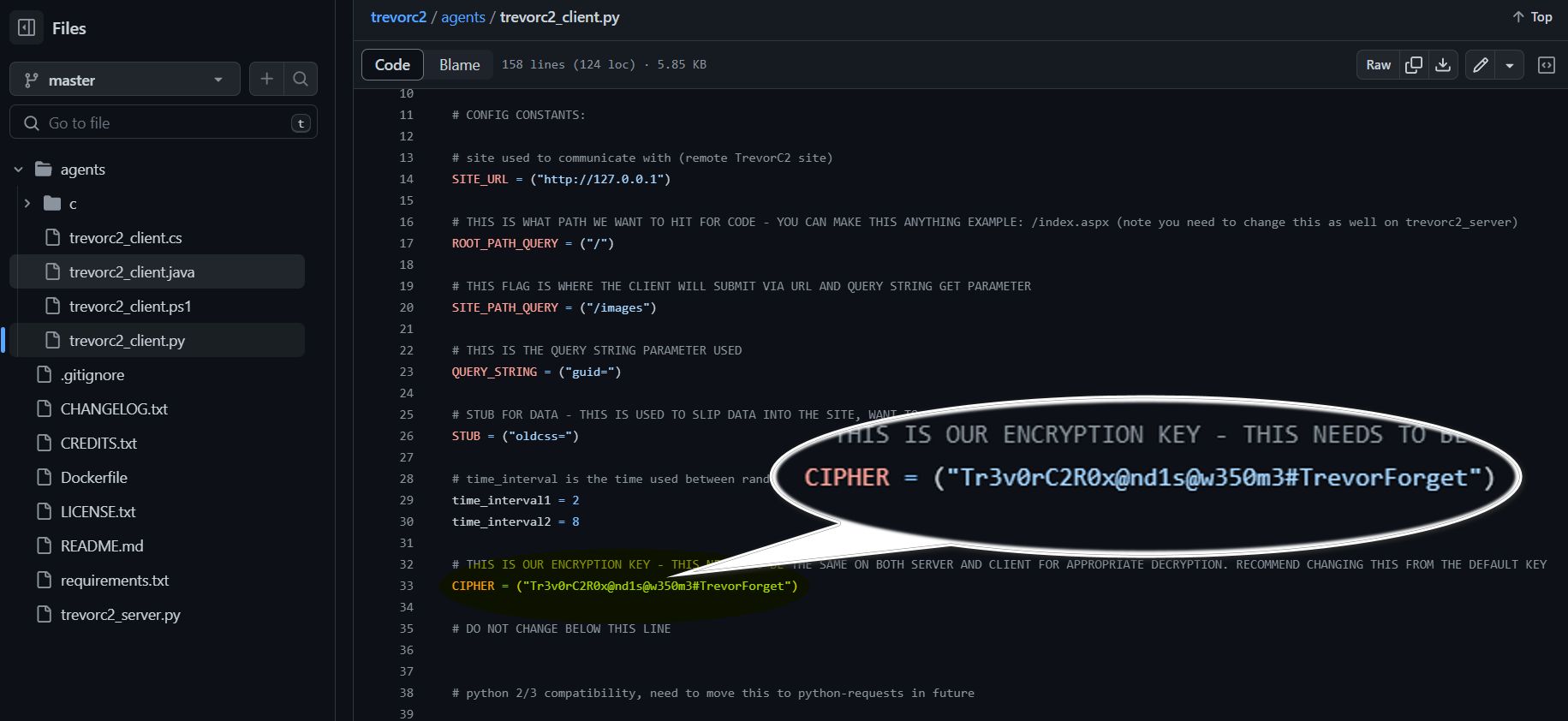
We still need the encryption key :( , Lets try the default one which is Tr3v0rC2R0x@nd1s@w350m3#TrevorForget to see if it works.
1
2
3
4
5
6
7
8
9
10
11
12
13
14
15
16
17
18
19
20
21
22
23
24
25
26
27
28
29
30
31
32
33
34
35
36
37
38
39
40
41
42
43
44
45
46
47
48

ct["VWZvY0RaWTd1a2kwYmFkMlhyYXpBRWFNRVhNbTZwUFgrUUtVenhKdWtrUDlib3pcUNIS2Y2S3owNGVsRVdvZw==""ajcrT1pmTC9kMy8xNkRXQzFvdStUWFo5ZVV1OTgyMDduV0R1dWJoemdRUTN5OXFI2NXY2VKOFhKM3FQRGRKQldIVkgzYW1RYkZ5ckdHNVZtOGs4SXNkZEdpaHhVeGR2aFYN3dLMUF6RjZOM1FRc2trYkdjZFYrb1RLR3ZPb2puQUEzTUpLakRQd1FlREg1ZlFZmp3PT0=""WkN0eTk1TGdFb1JrZWZIL29VU0hhV0t0VjJocmJnTjVDUDR4eWU1OU8vSEppeVp6nJqS1IvcUprOVZPUVpHYnk2RjArZFQ0K25BTUkreEFtM2xxK00zVEZyQk1DQ3k4MFwNHVaSCszSUVCaDBrZ3ZDVWo4Tk0wMGNQblNZdDlqOTVBVzRCelBNYXV4cE9wbUVimN4N042QzBPckhNcVFtR2MybjBOTVh6Q0NmZlAzWXQ4dThkN0ozeWtYK0hEZmkrSTQTmdBRlA2RTJKblRNVGdZOGVVUGU3enJmYzVEb0RydG9ETVhWZ2dPMElZQUF3b3pDEN3eUZTdmxHeU5iV3VpYVpaSVR2TVNnOW9leW9RZU10bVBRZXQ2ejV4Zm4rZDQ0eHNdkhRR1llNXJZVERQSzYwYUJUbDMrNmRhUUlzbXRieXpwaW1nQjlQWmV1dVdDUytYmhQNXlCcHh1cjJ3L1BZTzRsLzVFTFFYa3JUblF3eTRxc25yMlR4YW9idk1LN3FzaGFVGZsbkZwMktxY09SUTZMTlo4bEVUOTdxQ2tHaDNkTGdjTVFMc2E0M3ZLdVp4YzdBUcwOFFRUjBjMHlLK3ptaVNnUCtjM2djeEg3UzVweU1NNlJNakd5Nk9neHcvbTB0QTEcjJRWDBBTU9YRm53MEpYbzhNcTVwWUhndGw2R0laak5OcUtWdG5JcnVpb0RTcW1imF1T295bngrbjNNdjVrWVZ1QXVQbDB4YXU1Q2ZOZERrWnRJaVZZUW1JZmpsZU1CaH1emRKWVREVXhhK2JwOXB3UHkxR21UZW4rK2QwZks4VGFEdXB3eWdqSnRTc1pydXV6DZ3RVliWG95dnUrQlhHcFE5Y1NCRWpnN2FmcWxzbGtmbDJ4R1FTWi9Sdy96ZGxKeF4SEZKc3oweE5PTC9CV3QzVUVMLzViZjljQ1Vva2tETFFQV2hHajJPZmYvU2xoU0o0Ux4TCtNPQ==""UzltSmsxK2RQM0ROWWJoWGwyWC9mSnZBY1VkSkJVeUVDS0hzNXZMOXoxYz0=""ZTcreEtlMzFSamMrRGNsMVloWDJyVmJuTFJIdzY5VGFZZWNqbzlxb1IvcjVsQnpIU1YS2YrbFZEZWdiQzM1M3I0QVpqSUY5UHF3ck15LzF4R3ZjLzFINWRxeFdWRVk4NWLclUxM0VBeEM1U3lxSU8xMnlrRkpNUG1XRTFNWUM=""ME9BMzRkK1I0cFAwc2pmTEFzWFk0N3lPMDBFRjZ1bGVGUnc0RGxlZ1RRdz0=""S2VHSVF1RGVhMjFrTm5vM1hoR052U25yVzZnSy9sWCtnYVN1WTVJSnJSRitmd20x2x3K2xCeXVsZUNWS3VCUkJxTUJQYjRQWERmV1Zjb29mbUtqRHFSbFU4alZyTzZ2eVxbkdsdXlINCtxZ0NQQWN2bFBzeUxGbEJOOWk2L2FlS0hhQmJqR0lqL1FPalJWbHFn21ZRnY2SG1uUGMrK3o3KytKcGdpTlNoQWtJZzM1QzZaZ1VXTXg1ck9qNmduTmQxaDFTzcxME9PakpnbEpsbVFoOHdSUWpKWkh0cnA1N3ovOUgrblJHR2FZeHp3c1F6YlJxWx3WVZpOGVmNlBlRlJYMFVIR0h3MittMGkxS1ErQ2lHUlB6ekhhYmIxSDlxRE50cHMck5hNWhPV1hYblJEVHc1RjQwQTBEUkhVQXV1OWcwT1NZTExtNGk3MGFaWmVUd1Fhk9XQjRucTVIR2hNcHBVS2hEb0V1YnhlMHM3Z2VuR2loVmtaRUo0NVpkYTdnNEFLWj2L1pjdUxHYkZGZjJhdzNoS3NBemZ3R09wc0JxblA4WTh6amRZbERlQmpqWVMxRkd3HNOMEpPMWdBeTl4TmI4NlBlYXJORVRBdFlJdGVnaGZDUnpBcHVnODhnR0dHa3h6UVEakdUbkg3K3VUWWMyMkJQM2I3LzNTNlQxc29KbzBJbGxZbEdwQ2srWHh4QjN5Z0QzXNicnUzekJuazlDWTh2MFVYcEl4V2FTZUlmWXlGT3Jxa1pqbkoxWTNRU1hGcUhBRmwNUc5dz09""OVdReUJzZ0MwR3JNRGljNnNqaEdPYzB5b1dTUUpwMkJMcGxzTyszSWJUUT0="]

import hashlib
import base64
from Crypto.Cipher import AES
class AESCipher(object):
    """
    A classical AES Cipher. Can use any size of data and any size of password thanks to padding.
    Also ensure the coherence and the type of the data with a unicode to byte converter.
    """
    def __init__(self, key):
        self.bs = 16
        self.key = hashlib.sha256(AESCipher.str_to_bytes(key)).digest()

    @staticmethod
    def str_to_bytes(data):
        u_type = type(b''.decode('utf8'))
        if isinstance(data, u_type):
            return data.encode('utf8')
        return data

    def _pad(self, s):
        return s + (self.bs - len(s) % self.bs) * AESCipher.str_to_bytes(chr(self.bs - len(s) % self.bs))

    @staticmethod
    def _unpad(s):
        return s[:-ord(s[len(s)-1:])]

    def encrypt(self, raw):
        raw = self._pad(AESCipher.str_to_bytes(raw))
        iv = Random.new().read(AES.block_size)
        cipher = AES.new(self.key, AES.MODE_CBC, iv)
        return base64.b64encode(iv + cipher.encrypt(raw)).decode('utf-8')

    def decrypt(self, enc):
        enc = base64.b64decode(enc)
        iv = enc[:AES.block_size]
        cipher = AES.new(self.key, AES.MODE_CBC, iv)
        return self._unpad(cipher.decrypt(enc[AES.block_size:])).decode('utf-8')

# add cipher key here
CIPHER = ("Tr3v0rC2R0x@nd1s@w350m3#TrevorForget")
cipher = AESCipher(key=CIPHER)


for i in ct:
    print(cipher.decrypt(base64.b64decode(i)))
It worked !
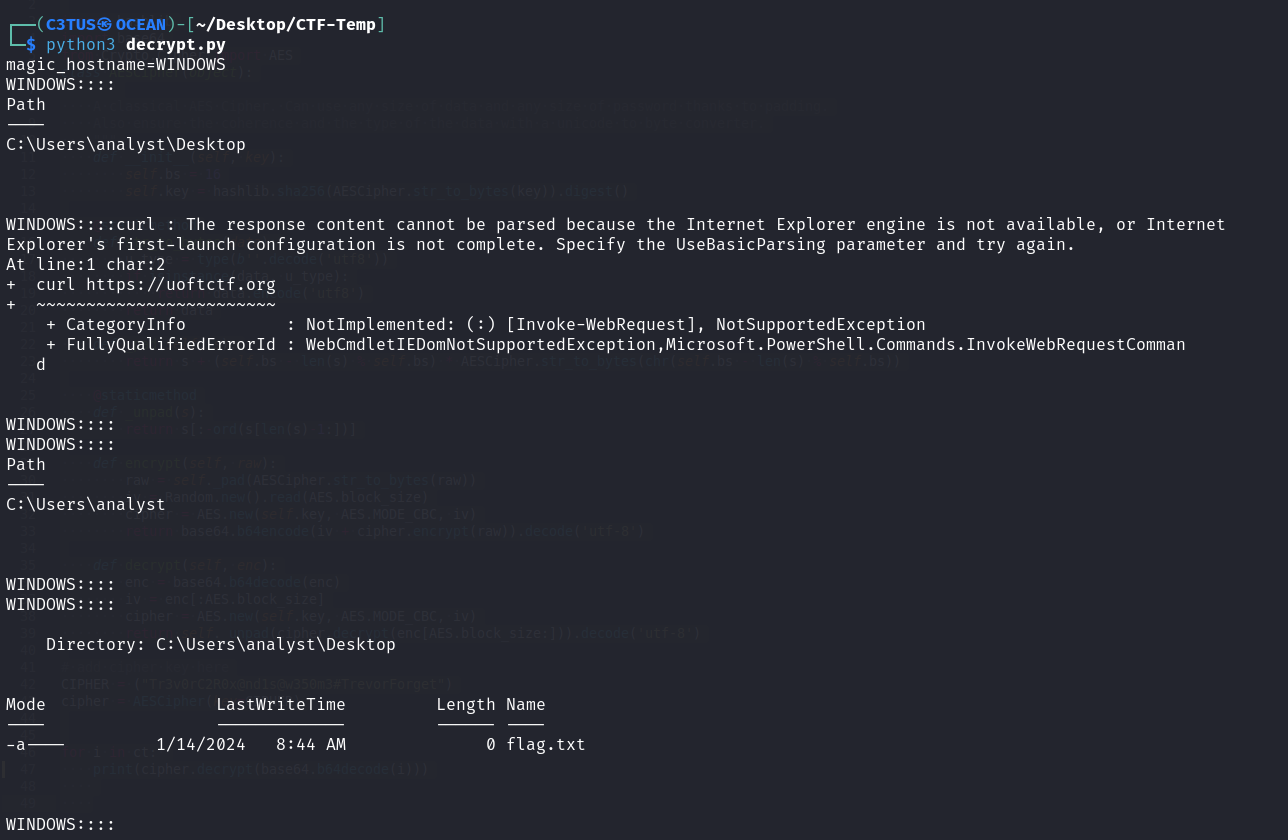
We’ve gotten one side of the conversation. Now we need the other part which is the server side. To extract the oldcss data, I simply used the OG method of strings and grep and I parsed the data manually
strings traffic.pcapng | grep "oldcss"
Lets feed the data again to our script
1
2
3
4
5
6
7
8
9
10
11
12
13
14
15
16
17
18
19
20
21
22
23
24
25
26
27
28
29
30
31
32
33
34
35
36
37
38
39
40
41
42
43
44
45
46
47
ct=["cFl2gZ64Xe9FdCr2nMGlPPHKr//oqB/bWOaDiLiOLmQ=","KOw3LLlCqO1H0OzTaSCtdtDQEc1kaUHYDHK3URMinE=","kofJyYXCyx+kuQkUISD8xb+3wGEninpPGkCfO7cSdk=""pthScpHMvLajfJArnoBOuaJE4qyruZUvV9RH1W1xJglZllVYTUApMAqfCXFe0hvq8Ym5FBzjg6aIGGOO5HTBA==""cLLXq0nk9MPX9fcJgK7PdYhjHwrGu6qEkLPMNV7+QQ4=""uMS9CwMZkXrXyXA4LTbRKL6FJkKBxyM9Pi96rGVuHEGyu1h+Qa7UIPejb2PH1QL","sGpByUYockKmYpDyu84eFIOWENercq7Twup5JVfoh6w=""3unUUEgRnp/Cb5zCdqtNZk10QW1jno8SJ1x5elH408U=","TJMEJ6awBY5OJO8RDuIj1oQNItQ6QvaBkpb0vsGT6Cmj2DOIIhgAkVOw6M9xrey""IkMrNxaUs4zRtjU81TvQAaLFGe2L9wp3lowIDxexlEg=""seiTsoy2I3arpIXH3DhPqLWDq3Q5VyFfTSPg4FLgJnwzBNJwnFKoQmpit2Bihe+","noJvVRGs/silHFz2oPTldiey+XvgYNsutIOo4xVi2i4=""C9XqWpYeqCIn8Dk8gCVtpdg47vm8e8peFqkfQJ6WVbUvL7ucvQ0ayWnKRBF2G+ltFBWNMa+wawqeuvFK61RGvKVWogAqAVg4J7qmScn+HRF0QZFgEunXlAdu+16nnf","0uVBecny+wd0QC7IC2UV0O/5itgE4ZMSRKBkaeNvLbM="]

import hashlib
import base64
from Crypto.Cipher import AES
class AESCipher(object):
    """
    A classical AES Cipher. Can use any size of data and any size of password thanks to padding.
    Also ensure the coherence and the type of the data with a unicode to byte converter.
    """
    def __init__(self, key):
        self.bs = 16
        self.key = hashlib.sha256(AESCipher.str_to_bytes(key)).digest()

    @staticmethod
    def str_to_bytes(data):
        u_type = type(b''.decode('utf8'))
        if isinstance(data, u_type):
            return data.encode('utf8')
        return data

    def _pad(self, s):
        return s + (self.bs - len(s) % self.bs) * AESCipher.str_to_bytes(chr(self.bs - len(s) % self.bs))

    @staticmethod
    def _unpad(s):
        return s[:-ord(s[len(s)-1:])]

    def encrypt(self, raw):
        raw = self._pad(AESCipher.str_to_bytes(raw))
        iv = Random.new().read(AES.block_size)
        cipher = AES.new(self.key, AES.MODE_CBC, iv)
        return base64.b64encode(iv + cipher.encrypt(raw)).decode('utf-8')

    def decrypt(self, enc):
        enc = base64.b64decode(enc)
        iv = enc[:AES.block_size]
        cipher = AES.new(self.key, AES.MODE_CBC, iv)
        return self._unpad(cipher.decrypt(enc[AES.block_size:])).decode('utf-8')

# add cipher key here
CIPHER = ("Tr3v0rC2R0x@nd1s@w350m3#TrevorForget")
cipher = AESCipher(key=CIPHER)


for i in ct:
    print(cipher.decrypt(i))
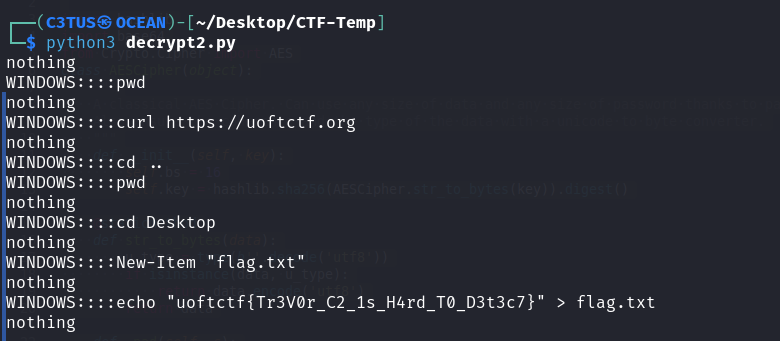
uoftctf{Tr3V0r_C2_1s_H4rd_T0_D3t3c7}
EnableMe
You’ve received a confidential document! Follow the instructions to unlock it.
Note: This is not malware
Solution
We got a file called invoice.docm, .docm files are Microsoft Word macro-enabled document. I ran the file using an online sandbox called any.run and this what I got : 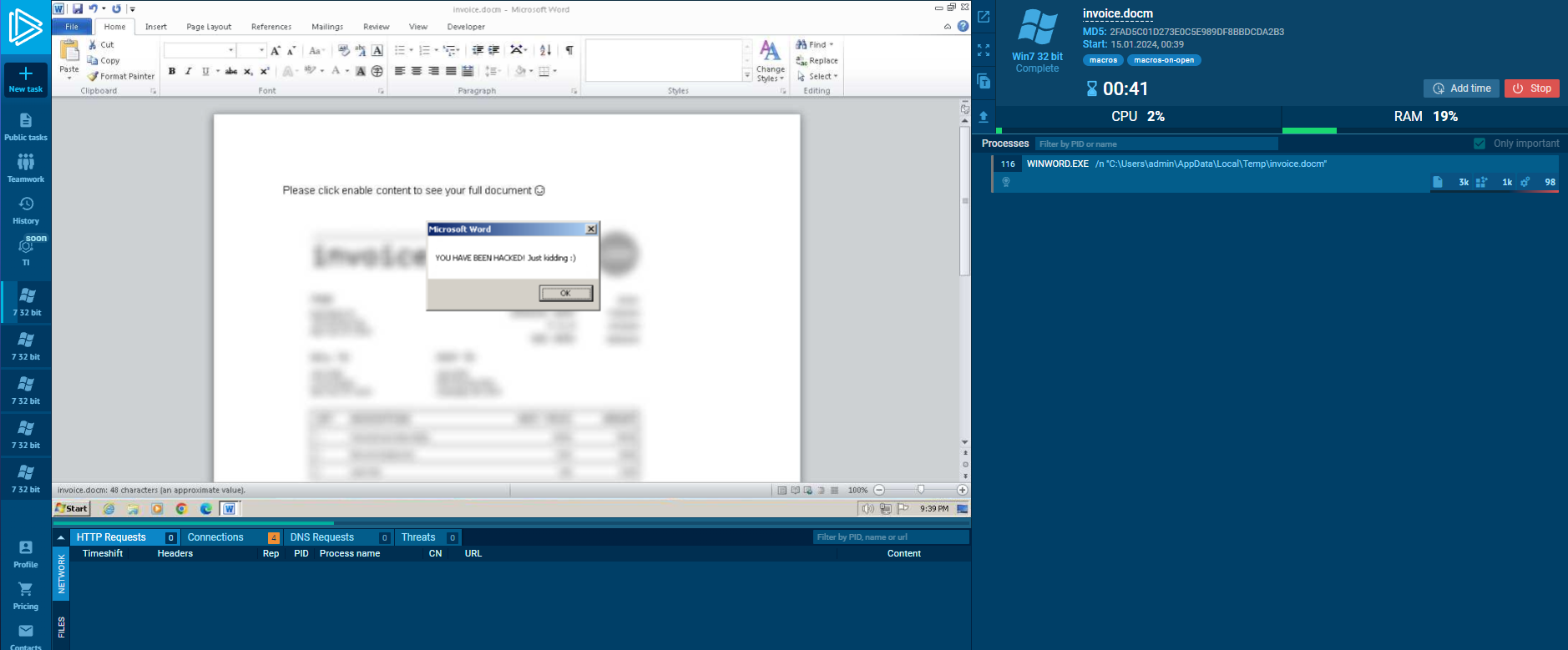
So let’s check the files macros using olevba. 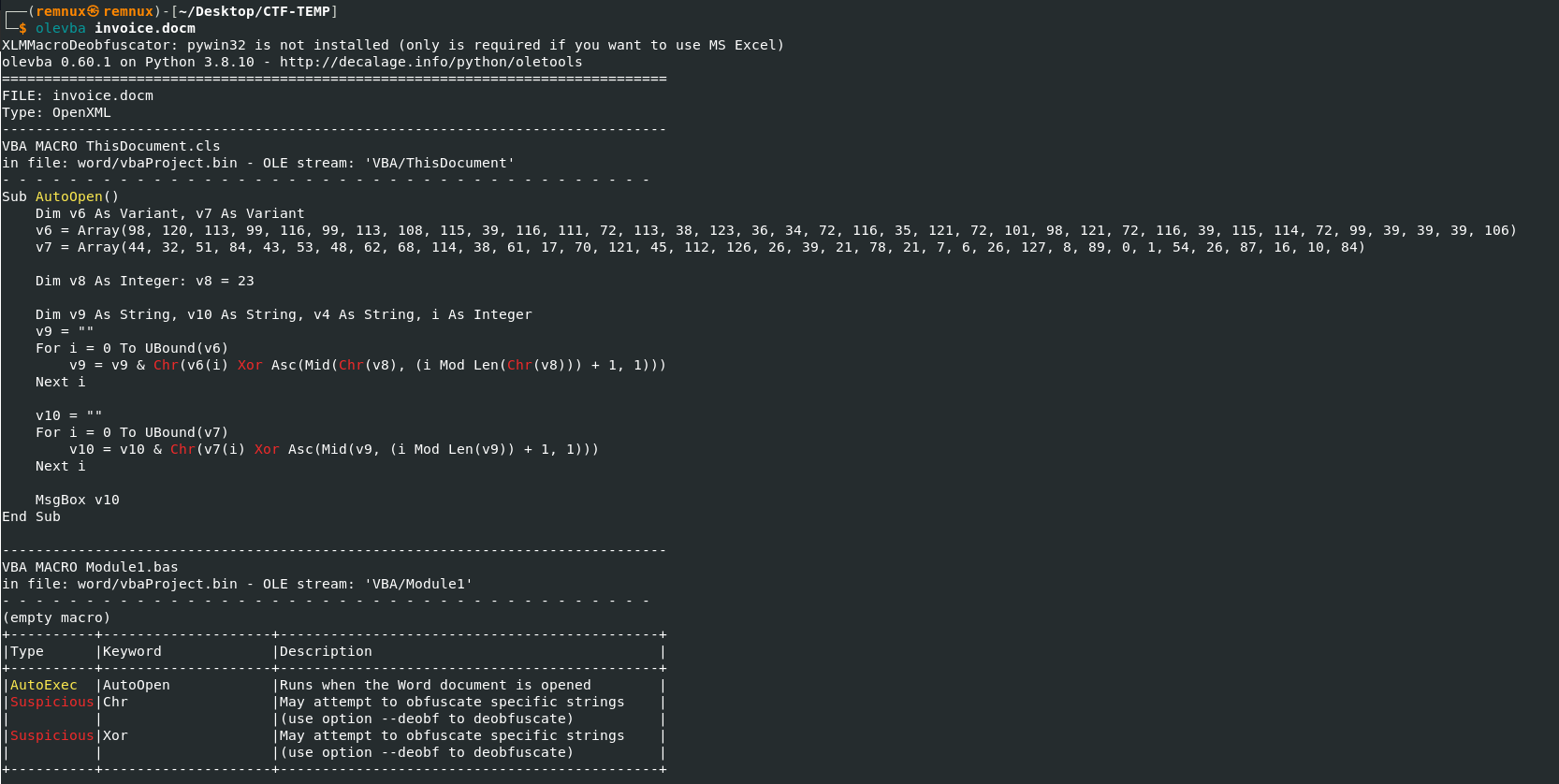
Sub AutoOpen()
    Dim v6 As Variant, v7 As Variant
    v6 = Array(98, 120, 113, 99, 116, 99, 113, 108, 115, 39, 116, 111, 72, 113, 38, 123, 36, 34, 72, 116, 35, 121, 72, 101, 98, 121, 72, 116, 39, 115, 114, 72, 99, 39, 39, 39, 106)
    v7 = Array(44, 32, 51, 84, 43, 53, 48, 62, 68, 114, 38, 61, 17, 70, 121, 45, 112, 126, 26, 39, 21, 78, 21, 7, 6, 26, 127, 8, 89, 0, 1, 54, 26, 87, 16, 10, 84)

    Dim v8 As Integer: v8 = 23

    Dim v9 As String, v10 As String, v4 As String, i As Integer
    v9 = ""
    For i = 0 To UBound(v6)
        v9 = v9 & Chr(v6(i) Xor Asc(Mid(Chr(v8), (i Mod Len(Chr(v8))) + 1, 1)))
    Next i

    v10 = ""
    For i = 0 To UBound(v7)
        v10 = v10 & Chr(v7(i) Xor Asc(Mid(v9, (i Mod Len(v9)) + 1, 1)))
    Next i

    MsgBox v10
End Sub
The code takes the bytes in v6 and XOR them using the key (23) Simply apply that to the bytes in v6. 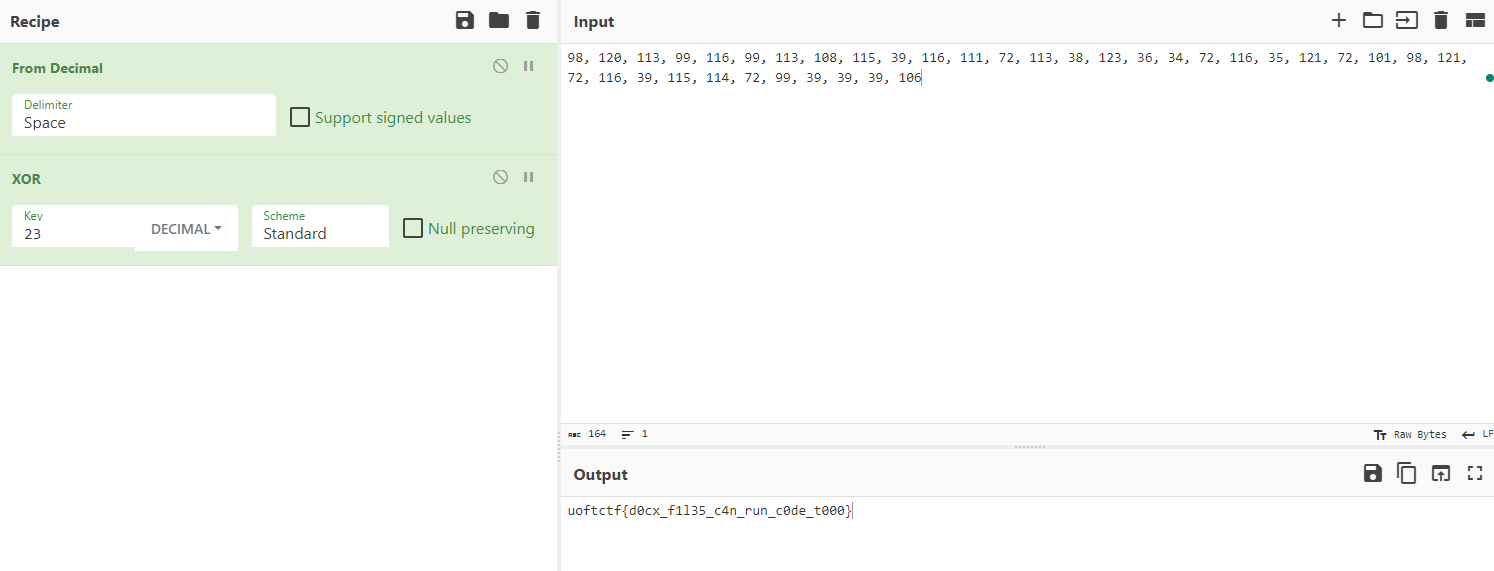 uoftctf{d0cx_f1l35_c4n_run_c0de_t000}